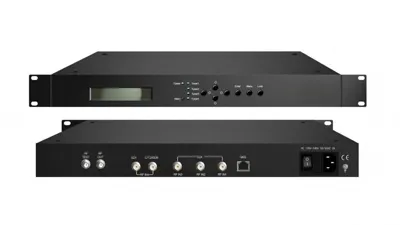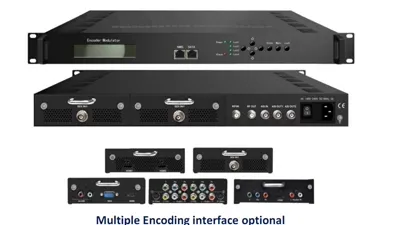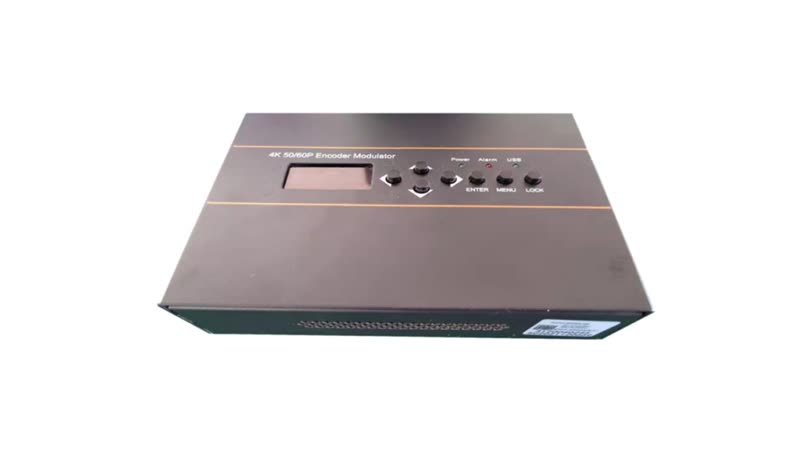
HDMI to Coax Modulator Guide for DVB-C and DVB-T
How to put HDMI sources on an existing coax network: the encode-then-modulate path, channel counts, RF figures and the models that publish them. Each model named in this article is one of 190 in the Hanxing catalogue, published with its own specifications and datasheet.
Hanxing Team
Broadcast & IPTV Experts
The path this guide walks
- Sourcesset-top box, player, camera, signage
- EncodeHDMI or SDI to MPEG TS
- MultiplexPID remap and PSI/SI
- ModulateDVB-C, DVB-T, ATSC
- Combine2/4 or 16/32 carriers
- Televisionsexisting tuners on the existing coax
One chassis covers the first four boxes; the split into two happens when the source count passes the inputs of the largest encoder.
An HDMI source and a coaxial socket cannot be joined by a cable, however similar the two connectors look. HDMI carries baseband video and audio, while the cable in the wall carries modulated radio-frequency channels that a tuner inside the television selects. Something has to sit between them: a box that encodes the picture into a transport stream and modulates that stream onto a carrier. That pair of stages is what buyers are looking for when they search for an HDMI to coax modulator.
This guide follows the decision in the order a quotation is built: what the encoder and the modulator each do, which output standard your receivers demand, how many HDMI sources one headend can take, how many carriers the coax will hold, and which published RF figures decide whether a model fits the plant. Every value below is printed on the product page of the model it belongs to, and where a parameter is not published we say so rather than estimate it.
What Does HDMI to Coax Actually Mean?
It means encoding first and modulating second. The encoder turns each HDMI input into an MPEG transport stream at a bit rate you choose, and the modulator places that stream on an RF carrier inside the band your televisions scan. On most of our units both stages sit in the same chassis.
Four stages sit in the chain, and each one can be pointed at on the product page of the model you are considering.
| Stage | What happens | Example from our line |
|---|---|---|
| Encode | HDMI or SDI baseband video and audio become an MPEG transport stream | FUQ-4667 encodes H.265 or H.264 at 4K; the FUQ-4667XX publishes 1 Mbps~15 Mbps |
| Multiplex and PSI/SI | Streams are grouped, PIDs are remapped and the tables the tuner reads are edited | FUQ-4655K does PID remapping for 180 inputs per channel inside the chassis |
| Modulate | The transport stream is placed on an RF carrier at the frequency you assign | FUQ-4667 publishes 100-900 MHz in 1 kHz steps and an RF output level of -63~ -16 dBm |
| Distribute | The carrier output leaves on an F-type connector into the coax already in the building | FUQ-4635S publishes 2/4 RF DVB-C out with an F type interface |
Two practical consequences follow from that chain.
- The television needs a digital tuner for the standard you produce. A screen with only an HDMI input, such as some monitors and projectors, needs a set-top box instead, the same decision we describe in set-top boxes versus smart TV apps.
- The coax, splitters and amplifiers already in the wall are reused as long as the new carriers fall inside the frequency range those passive parts pass, which is the reason the frequency field on the datasheet matters more than the headline resolution.
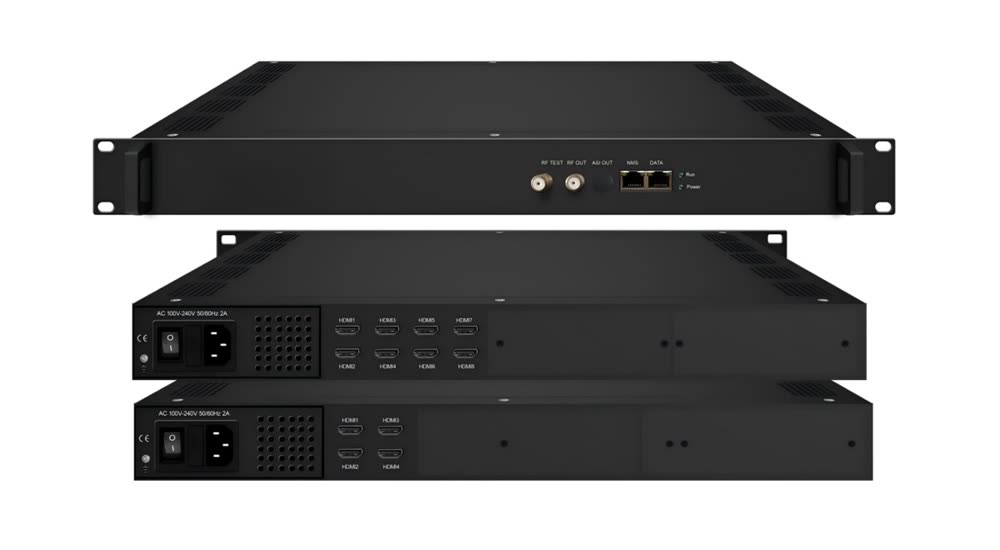
Which Output Standard Should the Modulator Produce?
The receivers decide, not the video platform. Read the tuner menu of one hospitality television, or the nameplate of a set-top box, and the standard it scans is the one your modulator has to produce. Where a headend already runs, a receiver lock test reads the standard, the carrier frequencies and the symbol rate in minutes, removing the guesswork.
| Standard the receivers scan | Where it appears | Model in our line that publishes it |
|---|---|---|
| DVB-C, ITU-T J.83A or J.83B | Buildings fed from a cable operator or a community antenna | FUQ-4667 publishes J.83A (DVB-C), J.83B; the FUQ-4635S publishes EN300 429/ITU-T J.83A/B |
| DVB-T, EN 300 744 | Buildings fed from a rooftop aerial | FUQ-4653U publishes DVB-T EN300744; the FUQ-3517X publishes EN300 744 and EN302 755 |
| ATSC, A/53 with 8VSB | North American over-the-air tuners | FUQ-4419BX publishes ATSC A/53, 8VSB and 6 MHz bandwidth |
| ISDB-T, and DTMB alongside it | Japan, Brazil, much of South America, China | The FUQ-4655K description lists DVB-C, DVB-T/ATSC or ISDB-T RF output; the FUQ-4635B description covers DVB-C, DVB-T, ATSC, ISDB-T and DTMB |
A site with more than one receiver population — a hotel with a cable plant on the upper floors and a terrestrial feed into the conference wing — is normally served by one chassis whose RF output differs per carrier group. Which combinations a given order covers is confirmed in the quotation, because it changes what has to be built and tested.
The output standard is not the only compatibility question. The channel plan matters as much: a carrier placed outside the pass band of the building's amplifiers arrives at the television attenuated, and no MER figure in the datasheet will recover it.
How Many HDMI Sources Can One Headend Take?
Count the sources you must distribute — set-top boxes, media players, cameras, signage players, a studio feed — then add the spare inputs you expect to need. The input count is the first number that fixes the model, and the published figures in our line run from a single HDMI input to 48.
| HDMI inputs | Model | Published output | Where it fits |
|---|---|---|---|
| 1, with loop out | FUQ-4667XX | 1-channel HDMI in, HDMI loop out, multi-standard RF-IP output, MER ≥40 dB | One source, one channel: a clinic or hotel information channel |
| 1, 4K, multi-standard | FUQ-4667 | H.265 or H.264 at 4K, DVB-C, DVB-T, ISDB-T and ATSC, MER ≥40 dB | One 4K source onto an existing coax plant |
| 1 | FUQ-4633 | MPEG-4 AVC/H.264 encoding with DVB-T modulation | A signage or digital channel added to a terrestrial lineup |
| 1, 4 or 8 | FUQ-4635B | MPEG2 encoding, RF output covering DVB-C, DVB-T, ATSC, ISDB-T and DTMB, MER ≥35 dB | A lineup that grows channel by channel |
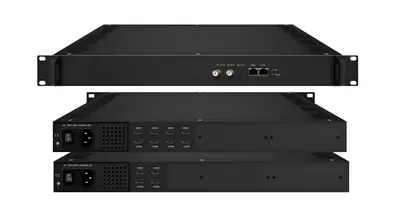
| 4 or 8 | FUQ-4635S | 64 or 128 IP streams and 2 or 4 RF carriers in 1RU, DVB-C output on an F type interface | Hotel TV systems, CATV headends and multi-dwelling units |
| 8, 16 or 24 | FUQ-4647R | 12 DVB-C RF carriers plus ASI and IP mirrors, 128 IP inputs, 1RU | A compact CATV headend built from HDMI sources |
| 2, 4K | FUQ-4653U | Dual HDMI 2.0, DVB-C and DVB-T RF outputs, 2xASI and 32xIP inputs | Two 4K sources, for example a sports feed beside a channel lineup |
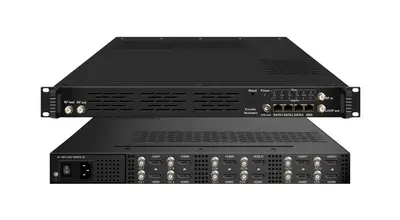
| 12 | FUQ-4655K | 12 HDMI plus up to 256 IP inputs, integrated mux and scrambler, MPEG2 or H.264 | A small CATV headend that also multiplexes and scrambles |
| 48 | FUQ-4339KN | HEVC/H.265 and H.264 encoding, UDP, SRT, RTSP, RTMP, HTTP and HLS outputs, 2U (482 x 328 x 88 mm) | Large properties, where the carriers are built by a separate QAM chassis |
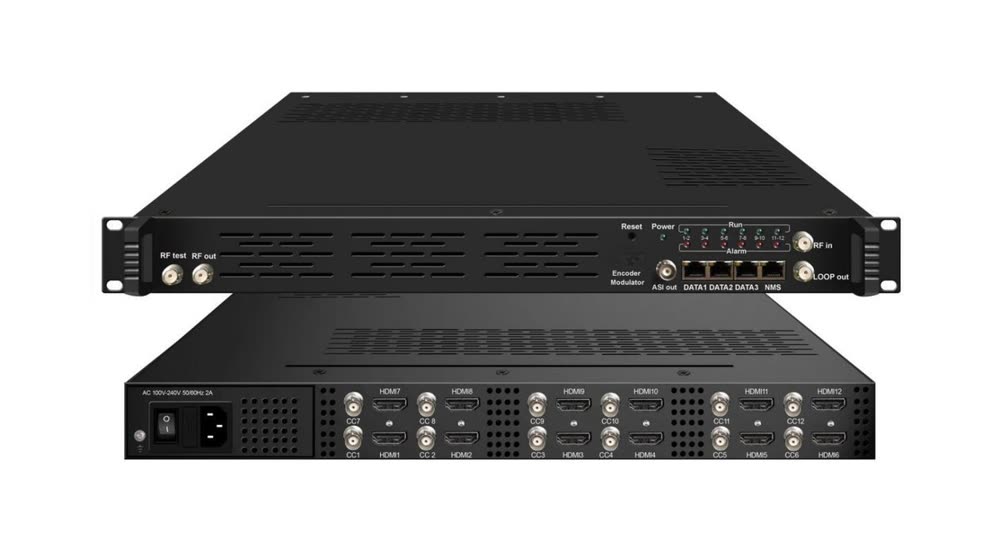
Past about eight sources the answer usually stops being more inputs in one box. The encoding becomes the IP side of a headend, and the carriers are built by a modulator that already speaks IP — the split we look at further down.
How Many Channels Will Fit on the Coax?
One carrier carries one transport stream, so the channel count follows how you group the services and the bit rate you give each of them. Two published families of numbers set the ceiling: the carriers a chassis can generate, and the encoding bit rate per channel that those carriers have to hold.
| Model | Carriers published | Input capacity | Notes |
|---|---|---|---|
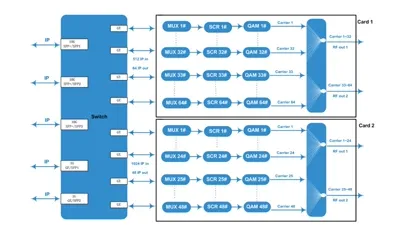
| FUQ-4443 V2 | 16 or 32 non-adjacent DVB-C carriers on one F type port | 1024 IP streams plus 6 ASI inputs | 4 GE/SFP inputs, MER ≥40 dB |
| FUQ-4419BX | 8 non-adjacent carriers | Up to 256 IP inputs across three GE ports | ATSC A/53, 8VSB, 6 MHz bandwidth |
| FUQ-4635S | 2 or 4 carriers, combined output | 4 or 8 HDMI, 64 or 128 IP streams | F type interface, 1RU |
| FUQ-4647R | 12 DVB-C carriers | 8, 16 or 24 HDMI, 128 IP streams, 1 ASI | 1RU, ASI and IP mirrors |
| FUQ-4655K | RF out per its published standard list | 12 HDMI plus up to 256 IP | Integrated multiplexer and scrambler |
Bit rate is the other half of the arithmetic. The published per-channel ranges are 1 Mbps~13 Mbps on the FUQ-4635S and the FUQ-4647R, 1 Mbps~15 Mbps on the FUQ-4667XX, 0.8~19 Mbps for H.264 and 1~19 Mbps for MPEG-2 on the FUQ-4655K, and 1 Mbps~23 Mbps on the 4K FUQ-4653U. A lineup of 1080p channels grouped onto a smaller number of carriers is a bit-rate conversation before it is a carrier conversation.
Two details decide how the carriers are grouped in practice.
- Non-adjacent carriers, as published for the FUQ-4443 V2 and the FUQ-4419BX, leave room between the carriers; combined output, as published for the FUQ-4635S, presents the carriers on one connector so fewer amplifier stages are needed downstream.
- A channel plan that keeps the new carriers inside the frequency range the building already passes is cheaper than one that requires new amplifiers.
Where a parameter you need is not on the page, we confirm it for the configuration instead of estimating it — that is the rule this site is built on, including for the models above. The encoder modulator line lists all of them with their published specifications side by side.
The same calculation for an SDI source instead of HDMI, including the SDI level to confirm first, is worked through in the SDI to QAM modulator guide, and the standard to modulate onto is chosen in the DVB-C, DVB-T and ATSC comparison.
One Chassis or Two: Where the Encoding Should Stop
Small systems put encoding and modulation in one box; large ones separate the two. Past the input count of the biggest encoder-modulator, the practical split is a dense HDMI encoder that publishes IP outputs, then an IP modem chassis that receives those streams and builds the carriers — the same two-box path we describe for IP to QAM projects.
The published pair for that job is the FUQ-4339KN network encoder with 48 HDMI inputs, HEVC/H.265 and H.264 encoding and UDP, SRT, RTSP, RTMP, HTTP and HLS outputs, feeding a FUQ-4443 V2 IP QAM modulator that takes up to 1024 IP streams over 4 GE/SFP ports plus 6 ASI inputs and publishes 16 or 32 non-adjacent DVB-C carriers.
| All-in-one encoder modulator | HDMI encoder plus IP QAM chassis | |
|---|---|---|
| Typical input count | 1 to 12 HDMI inputs | 24 to 48 HDMI inputs at the encoder |
| Rack space | One chassis in most cases | Two chassis, often in different racks or rooms |
| Carriers | Published per model, 2 to 12 carriers | 16 or 32 carriers per QAM chassis |
| Owns the channel list | Yes, in the same web interface | Split: the encoder sets streams, the QAM chassis sets carriers |
| Wins when | Sources are local and the lineup is small | Sources are spread out, or the lineup has to be multiplexed and scrambled |
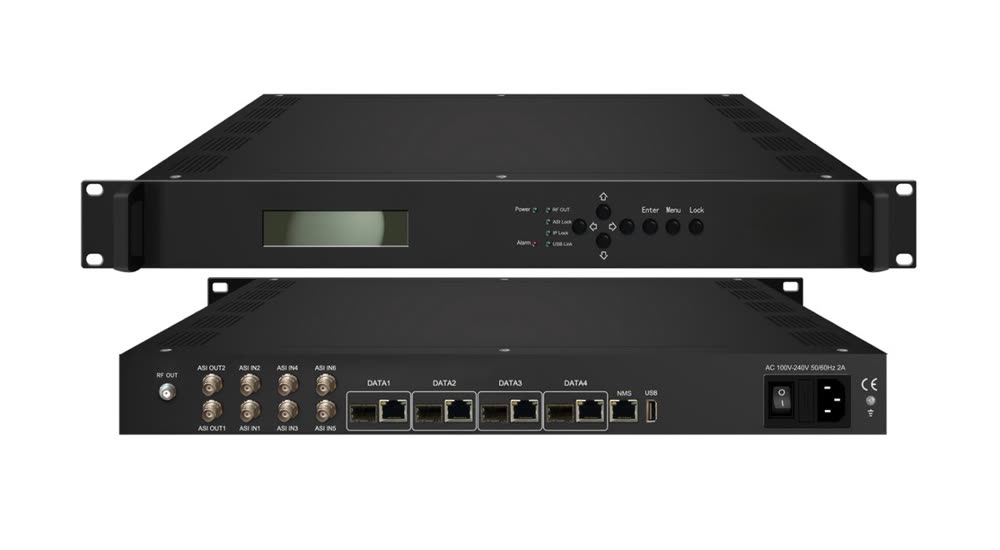
Between the encoder and the modem chassis there is usually a multiplexer, and where subscription channels are involved, a scrambler. Both have their own pages in the multiplexer and scrambler line, and both matter more as the number of sources grows.
Reading the RF Figures Before You Order
Four published numbers decide whether a modulator suits the plant: the frequency range it covers, the output level it delivers, the MER it guarantees, and the connector it leaves on. Compare the same parameter across models rather than the summary sentence, because the ranges overlap while the headroom does not.
| Parameter | What it decides | Published examples |
|---|---|---|
| RF frequency | Whether the carrier can be placed inside the band the building's amplifiers pass | FUQ-4667: 100-900 MHz, 1 kHz step. FUQ-4667XX: 100-1000 MHz. FUQ-4443 V2: 50~960 MHz |
| RF output level | The drive level at the headend, before splitters and cable loss | FUQ-4667: -63~ -16 dBm, 1 dB step. FUQ-4667XX: -20~ -5 dBm. FUQ-4443 V2: -20 dBm~+10 dBm (87~117 dBµV) |
| MER | The margin inside the constellation before receivers start to give up | FUQ-4667 and FUQ-4667XX: ≥40 dB. FUQ-4635B: ≥35 dB. FUQ-4653D and FUQ-4443 V2: ≥40 dB |
| Symbol rate and bandwidth | How the carrier is built, and whether it matches the channel width the plant uses | FUQ-4667: 5.000~7.000 Msps, bandwidth 6M, 7M, 8M |
| Output interface | What the headend patch panel has to accept | FUQ-4443 V2: 1 F type output port for 16/32 carriers, 75 ohm |
Two habits keep the comparison honest. First, quote the number from the model's own published datasheet rather than from a line description, because a family page describes what the series can do while the model page states what that unit does. Second, treat a missing value as missing: every product page in this catalogue says so explicitly, and the answer is a request for the datasheet rather than an interpolated figure.
Typical Deployments We Quote for
The applications published for these models are hospitality, healthcare, campus, CATV and multi-dwelling work, and each one weights the specification differently. A hotel cares about the number of channels and a clean channel list, a clinic about isolated groups of channels, a sports bar about source count and latency, and a campus about the reach of the existing cable.
- Hotels and hospitality. Four to twelve HDMI sources, an existing DVB-C or DVB-T plant and a channel list that guests can read: the FUQ-4635S publishes exactly that combination, 4/8 HDMI in, 64/128 IP streams and 2/4 carriers out. The wider case, including the sources behind the lineup, is covered in the hotel headend guide.
- Sports bars, gyms and venues. A small number of premium feeds, sometimes 4K, distributed to many screens on one coax: the FUQ-4653U publishes dual HDMI 2.0 inputs and 1 Mbps~23 Mbps encoding, and the FUQ-4667 covers a single 4K source with DVB-C, DVB-T, ISDB-T and ATSC output.
- Healthcare and campus. Information and education channels added to an existing distribution, with the ward or department line-ups grouped at the multiplexer: the FUQ-4655K publishes 12 HDMI inputs with up to 256 IP inputs and an integrated mux and scrambler.
- Small CATV headends and multi-dwelling units. A building-wide lineup built from HDMI and satellite sources: the FUQ-4647R publishes 12 DVB-C carriers with 128 IP inputs, and the FUQ-4635S names CATV headends and multi-dwelling units as its deployments.
- Digital signage and surveillance. A single channel for a lobby or a security feed, which is where the single-input models fit: the FUQ-4633 publishes MPEG-4 AVC/H.264 encoding and DVB-T modulation with hotel digital signage as a stated use.
Installation Notes: Space, Power and Levels
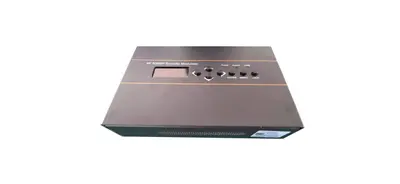
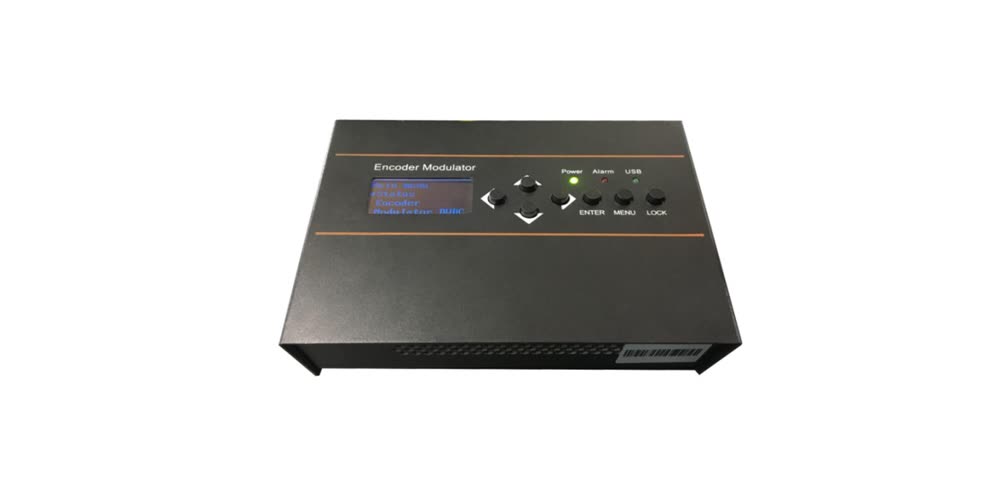
Rack space and power are settled before the chassis arrives, and the published dimensions span a wide range. A desktop unit such as the FUQ-4667XX measures 160*120*52 mm and weighs under 1 kg on DC 12 V, while the FUQ-4653U is a 1U chassis measuring 482 mm by 455 mm by 44 mm at about 4 kg.
Count every unit, then add the patch panel and the shelf the combined RF output needs.
- Heat and environment. Published operating ranges are 0~45°C with -20~80°C storage on the FUQ-4443 V2 and the FUQ-3517X, which is an ordinary headend room rather than a cooled rack; leave the ventilation space the chassis requires.
- Power. Published options include AC 100V~240V on the FUQ-4653D, AC 220V±10% on the FUQ-3517X, and DC 12 V on the FUQ-4667XX, so the rack's supply decides the model as much as the video does.
- Levels at the headend. The output level published for the model tells you what the first splitter sees. Set it against the plant's measured loss before the lineup is fixed, then confirm each carrier at the television that is furthest from the headend.
- Management. Web-GUI, LED and keyboard control on the FUQ-4667 and the FUQ-4667XX, and web NMS with PSI/SI handling on the FUQ-4653U, so remote configuration and firmware updates do not need a site visit.
What to Send Us for a Quote
Send five facts and the model list writes itself: the sources and their connectors, the receivers and the standard they scan, the number of channels you want, whether any source is 4K, and the rack space and frequency plan the building allows. We answer with the configuration, the datasheet for each model and the factory-direct price.
- The source list, with the connector type of each source, HDMI or SDI or CVBS, and whether anything is 4K.
- The receivers, with the standard their tuners scan, and whether any of them are analog only.
- The channel count, and how you want the channels grouped on carriers.
- The plant, meaning the frequency range the existing amplifiers and splitters pass and the level measured at the furthest outlet.
- The headend, meaning the rack units available and the power the rack supplies.
That is also the checklist our engineers use before they confirm a configuration, so sending it up front shortens the round trip. If you would rather describe the project than the specification, write the site type and the number of screens, and we will come back with the questions that matter. Send the list through the sales team, or through the frequently asked questions page if you first want the commercial terms, MOQ and warranty position.
Frequently Asked Questions
Six questions come up in nearly every HDMI to coax quotation, and the answers below are the ones our engineers give on the phone. Each answer stays inside the parameters we publish for the models named, so it can be checked against the product page before a specification is written.
Can an HDMI source be connected to a coax socket with an adapter?
No. HDMI carries baseband video and audio, while a coax network carries modulated radio-frequency channels, so no passive adapter can join the two. The signal has to be encoded into an MPEG transport stream and then modulated onto a carrier, which is what the FUQ-4667 does in one 203 x 144 x 52 mm chassis (dimensions from its datasheet). A working off-the-shelf adapter contains those same two stages, just in a smaller enclosure with a lower channel count.
Will the existing televisions pick up the new channels?
Only if they carry a digital tuner for the standard you modulate. A hospitality television that scans DVB-C will find a DVB-C carrier; one that scans DVB-T needs the terrestrial variant instead. Screens that have no tuner at all, such as some monitors and projectors, need a set-top box, which is the same decision as in any other IPTV or RF distribution project.
How many HDMI sources can one chassis take?
Published input counts in our line run from one HDMI on the FUQ-4667XX, through 1/4/8 HDMI on the FUQ-4635B and 4/8 HDMI on the FUQ-4635S, to 8/16/24 HDMI plus one ASI input and 128 IP streams on the FUQ-4647R and 12 HDMI plus up to 256 IP inputs on the FUQ-4655K. The FUQ-4339KN network encoder publishes 48 HDMI inputs with IP outputs only.
What bit rate should each HDMI channel be encoded at?
The published ranges are 1 Mbps to 13 Mbps per channel on the FUQ-4635S and the FUQ-4647R, 1 Mbps to 15 Mbps on the FUQ-4667XX, 0.8 Mbps to 19 Mbps for H.264 and 1 Mbps to 19 Mbps for MPEG-2 on the FUQ-4655K, and 1 Mbps to 23 Mbps on the 4K FUQ-4653U. Choose inside those ranges from the picture complexity and the number of channels you must fit.
Do I need a separate encoder and modulator?
Not for a small system. One HDMI encoder modulator covers the usual hotel, gym or venue case, with the FUQ-4667 and the FUQ-4635S as examples. Separate units make sense when the source count passes the inputs of the largest encoder-modulator, or when the channels have to be multiplexed, scrambled or grouped before they are modulated.
What information do you need to quote an HDMI to coax system?
Send the source list with the connector type of each source, the receivers you must serve with the standard they scan, the number of television channels you want, whether any source is 4K, the rack space available at the headend and the frequency plan the existing plant allows. We reply with the model list, the datasheet for each unit and the factory-direct price.
Previous
Conditional Access and SMS in a Digital Headend
Next
DVB-C vs DVB-T vs ATSC vs ISDB-T Modulator Guide
Talk to the headend engineers before you specify
Send the model number you are looking at — or the channel count and the input and output formats you work with — and we answer with the datasheet, the configuration and a written price. The reply comes from the headend team in Guangzhou, not a sales line.