Hospital IPTV System: Headend Design and Ward Wiring
Design a hospital IPTV system end to end: headend equipment for satellite, HDMI and IP sources, ward-level distribution over IP or coax, and redundancy. Each model named in this article is one of 190 in the Hanxing catalogue, published with its own specifications and datasheet.
Hanxing Team
Broadcast & IPTV Experts
The path this guide walks
- Sourcessatellite, terrestrial, hospital studio
- Tuner to IP gatewayRF feeds become multicast
- HDMI encoderinformation and education channels
- Multiplexerward line-ups, scrambling
- Distributionvideo VLAN, or QAM onto existing coax
- Bedside screensexisting TVs, STB or displays
One headend feeds both a new IP wing and the coax already in the wall.
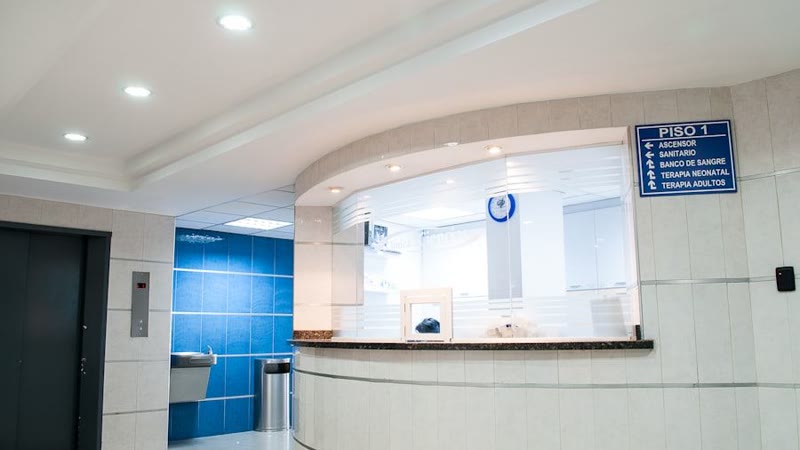
A hospital television system has to do more than entertain. It carries patient education loops, ward-specific language channels, waiting-room information and emergency messages, and it has to stay on through every shift of every day. That combination makes the headend design harder than a hotel project of the same room count.
This guide covers the equipment that belongs in a hospital IPTV headend, how channels reach wards over IP or over the coax that is already in the wall, and which datasheet numbers decide whether the system is still healthy in year five. Every specification quoted below is published on the page of the model it belongs to.
What Is a Hospital IPTV System?
A hospital IPTV system is a headend that turns satellite, terrestrial and in-house video sources into IP multicast streams and delivers them over the hospital network to bedside televisions, set-top boxes and clinical displays. The same headend carries the hospital information channel, patient education content and ward-specific channel lineups.
Four layers make up the system, and each one is sized separately:
| Layer | Job | Typical equipment |
|---|---|---|
| Sources | Bring in satellite, terrestrial, cable and in-house video | Dishes and antennas, media players, hospital studio output |
| Headend | Demodulate, encode, multiplex, scramble, publish as IP | Tuner-to-IP gateway, HDMI encoder, IP multiplexer, CAS and SMS |
| Distribution | Move each stream to every room and display | Managed switches with IGMP snooping, or coax fed by QAM modulators |
| Terminals | Present the channel to a patient or clinician | Set-top boxes, hospitality TVs, IP decoders for public displays |
A hospital rarely needs all four layers built from scratch. New wings usually arrive with structured cabling, while older blocks still have coax behind every bedside panel — and a single headend can serve both at the same time.
How a Hospital IPTV System Differs from a Hotel System
A hotel sells comfort, so a room without television is an inconvenience. A hospital distributes information that patients, visitors and staff use during the day, which changes the requirements for uptime, channel lineups, terminal hardware and maintenance windows. The hotel headend guide sets out the chain both systems share, the hotel TV system guide covers the room-side end of it, and the IPTV and hospitality solutions page groups the equipment by deployment.
| Requirement | Hotel system | Hospital system |
|---|---|---|
| Uptime expectation | High, but a single room can wait for a fix | Continuous; bedside TV and information screens run every shift |
| Channel lineup | Usually identical in every room | Often different per ward, department and language group |
| Own content | Welcome screen, hotel services | Patient education loops, admission information, health campaigns |
| Screens served | Guest television | Bedside TVs, waiting-room displays, staff training screens |
| Content protection | Premium movie channels | Pay channels and restricted packages where the operator sells them |
| Maintenance window | Fitted between check-outs | Planned around clinical activity |
| Controllers | Guest remote | Frequently a sealed or washable handset |
None of those differences changes the signal path. They change how much redundancy you specify, how many separate lineups you maintain, and how carefully the video network is kept apart from clinical traffic.
What Equipment Goes into a Hospital Headend?
A hospital headend is built from four functional blocks that can sit in one rack: something that converts RF or HDMI sources into IP, something that multiplexes and scrambles those streams, something that protects paid content, and something that either publishes them to IP displays or modulates them back onto coax for legacy televisions.
Ingest: tuner gateways and HDMI encoders
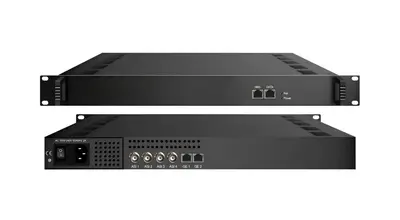
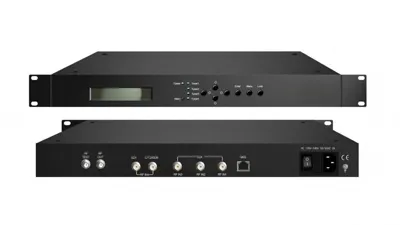
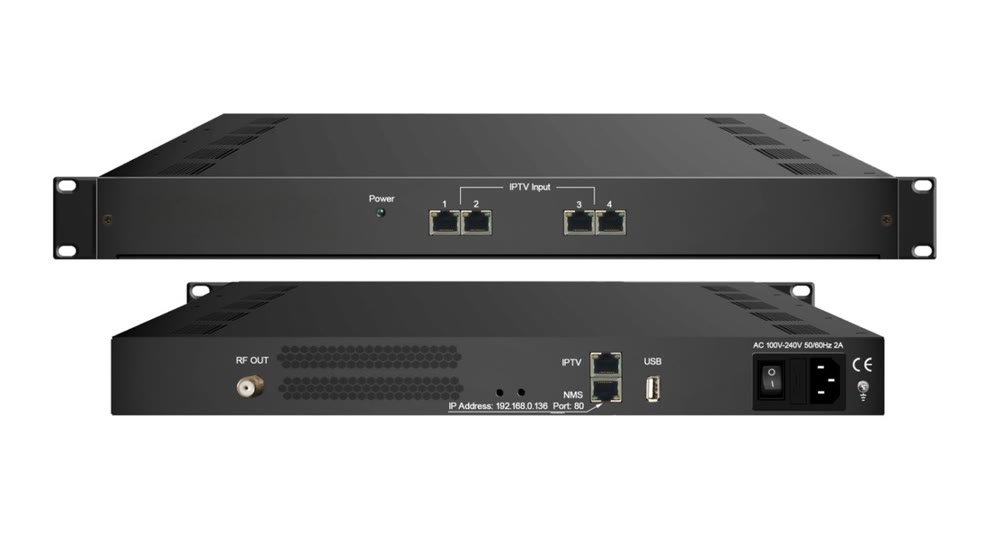
Satellite and terrestrial feeds arrive as RF and have to become IP. The FUQ-4619C V3 tuner to IP gateway handles 24 RF tuner inputs and reads DVB-T/T2/C/S/S2 with QPSK, QAM and COFDM demodulation, publishing them over UDP or RTP from a 1RU chassis. Its published limits are 512 PIDs per channel, automatic PSI/SI generation, PID remapping, service filtering and PCR adjustment, all configured through web-based NMS. The unit draws 40W or less and operates between 0 and 45 degrees Celsius.
Where the site has mixed standards, the FUQ-46610F IP gateway takes 16 tuner inputs or 2 ASI feeds and publishes 512 SPTS or 16 MPTS over dual Gigabit Ethernet, with BISS descrambling in Mode 1 and Mode E at up to 850 Mbps. Tuner options cover DVB-S/S2/S2X, DVB-C/T, ATSC and ISDB-T on the same platform.
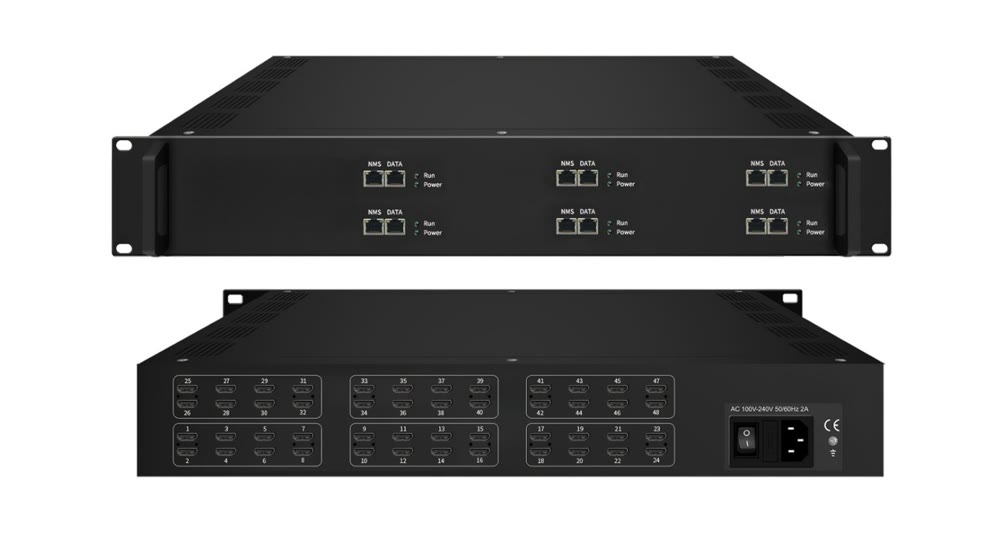
The hospital's own content - patient education loops, admission videos, a staff training feed - usually starts life as HDMI. The FUQ-4339K-N V2 network encoder takes 48 HDMI inputs and encodes HEVC/H.265 and MPEG-4 AVC/H.264 with MPEG-1 Layer 2, LC-AAC, HE-AAC or AC3 pass-through audio at 1 to 13 Mbps per channel, streaming over UDP, SRT, RTSP, RTMP, HTTP and HLS from a 2U chassis. For smaller racks, the FUQ-4339R HDMI encoder scales from 8 to 24 HDMI inputs, with each module publishing 1 MPTS plus 8 SPTS.
Multiplexing and scrambling: building the lineup
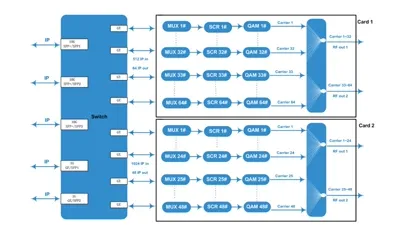
Ingested streams rarely match the lineup the wards need, so a multiplexer rebuilds the transport streams before distribution. The FUQ-4214 IP multiplexer accepts 512 IP inputs in UDP SPTS or MPTS form, rewrites PSI/SI tables and inserts EPG, CA and data services, then outputs two independent ASI channel pairs at up to 210 Mbps each and two IP outputs at up to 230 Mbps in a 25W, 1RU chassis.
Where channels have to be scrambled for a subscriber package, the FUQ-3514 multiplexer scrambler combines 128 IP inputs, 4 ASI inputs and 4 MPTS outputs with PID remapping, service filtering, PCR adjustment and scrambling to ETR289, ETSI 101 197 and ETSI 103 197. Each channel supports up to 512 PIDs.
Content protection for paid packages
Most hospitals deliver free-to-air channels and their own information services, but private patient packages, premium sports or hospitality-style bundles need a conditional access layer. The FUQ-1.0 conditional access system protects digital TV content for operators running subscriber services, with remote authorization and smartphone-based subscriber management. For larger operations the FUQ-SMS subscriber management platform is built for million-level user bases with CAS-compatible interfaces, batch entitlement distribution and SMS-based mobile charging.
Modulation: reaching wards that only have coax
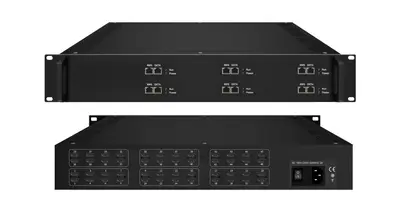
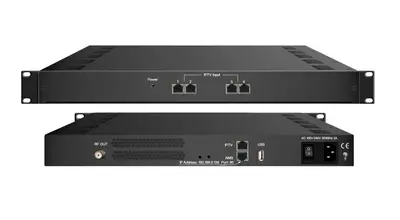
Where bedside televisions can only tune RF, an IP to QAM modulator converts the IP lineup back into DVB-C carriers on the existing coax plant, so nothing behind the wall changes. The FUQ-4455B IP QAM modulator takes 192 IP inputs across four FE and one GE port and outputs four DVB-C carriers compliant with EN300 429 and ITU-T J.83 A/B/C, with symbol rates from 5.0 to 9.0 Msps in 1 kHz steps and 748 PIDs per input channel. The larger FUQ-4427 publishes 16 non-adjacent carriers from up to 512 IP inputs over three GE ports at MER 40 dB or better.
When satellite feeds have to reach coax televisions directly, the FUQ-44105B v3 combines 24 or 16 tuner inputs, 128 IP inputs and 2 ASI inputs with 16 DVB-C carriers plus 16 IP MPTS outputs, modulated across 50 to 960 MHz in 1 kHz steps at MER 40 dB or better. The FUQ-4455A mux-modulator goes further and generates up to 48 DVB-C, 32 DVB-T or 28 ISDB-T non-adjacent carriers from 128 IP inputs, 2 ASI inputs and a USB media player, with automatic PSI/SI generation and an MER of 40 dB or better.
Patient rooms, waiting areas and clinical screens
Bedside hardware is a commercial choice between set-top boxes and hospitality televisions; the headend sees both as IP receivers. Public areas are different - corridors, waiting rooms and clinical displays usually need a decoder rather than a full TV platform, and the FUQ-4825B IP decoder drives four HDMI screens from up to 8 IP inputs and reads MPEG-2, H.264, H.265, AVS and AVS+ streams at up to 1080p. Staff areas that need a monitor wall or a confidence feed can use the FUQ-3702 HD decoder with two IP and two ASI inputs feeding two SDI outputs.
For deployments that want one box to handle live TV, video on demand, content protection and property or patient system integration, the FUQ-1000A integrated IPTV platform packages the service layer in a single headend, including ad insertion and hardware decoding.
Monitoring, acceptance testing and modular chassis
A hospital headend is commissioned once and then runs for years, so field measurement matters as much as the design. The FUQ-XB transport stream analyzer covers 1 ASI and 1 RF DVB-C input with real-time analysis at 160 Mbps and offline capture up to 120 Mbps, handling 188 and 204 byte packets automatically.
Where the mix of modules is expected to change over time, a modular chassis keeps the rack tidy: the FUQ-400B and FUQ-300 headend processors hold six modules in 1U for encoding, decoding, transcoding, multiplexing, descrambling and modulating, with IP input and output and an optional redundant power supply. The smaller FUQ-200 offers three slots and one GE data port for compact sites.
Ward Distribution: IP, Coax, or Both?
Distribution is decided by what is already behind the bedside panel. New buildings with structured cabling send multicast streams straight to set-top boxes and hospitality TVs; refurbishment projects keep the coax and add modulation at the headend; and mixed sites do both, publishing one lineup and delivering it over two media.
| Situation | Distribution choice | What to add at the headend |
|---|---|---|
| New build, CAT6 or fibre to every room | IP multicast to STBs or hospitality TVs | Encoder or gateway plus managed switches with IGMP snooping |
| Refurbishment, coax only in the rooms | Keep coax, modulate to DVB-C | IP to QAM modulator sized to the channel lineup |
| Some rooms IP, some rooms coax | Hybrid: one lineup, two media | QAM modulator alongside the IP publishing path |
| Satellite feeds to be reused without re-aiming | Modulate tuner inputs to RF | Mux-modulator that demodulates tuners and generates carriers |
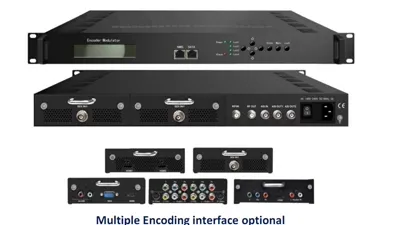
| Small clinic or single building | Direct RF from an encoder-modulator | Encoder-modulator with one or a few carriers |
The economics of hybrid designs are straightforward: one multicast stream per channel serves every receiver on the LAN, so adding rooms costs a switch port rather than headend capacity. On the RF side, one carrier likewise serves all the televisions on the coax plant, which is why carrier count - not room count - drives the modulator specification.
Zoning by ward, department and language
Hospital lineups are rarely uniform. Children's wards, maternity, oncology and geriatric units often want different language packs or different information loops, and the hospital may want different content in staff areas than in patient rooms. Because the headend publishes each channel as its own multicast group and the modulator places each program on its own carrier, zoning is a configuration exercise rather than extra hardware: build the zones as VLANs or as channel groups in the middleware, and keep one headend.
Two practical points save time later. First, decide the channel numbering scheme before installation, so that a channel number means the same thing in every ward and printed room cards do not need to be revised. Second, keep at least a few spare multicast groups and carriers in the plan; adding one information channel in year three is common, and it should not require a new chassis.
How to Size a Hospital Headend
Sizing follows sources and published capacity, not bed count. Every channel published once over multicast reaches an unlimited number of receivers on the network, so the headend is dimensioned by what goes in - tuners, HDMI feeds, IP inputs - and by the number of carriers needed for the coax side.
| Model | Published capacity | Typical role in a hospital project |
|---|---|---|
| FUQ-4619C V3 | 24 RF tuner inputs, 512 PIDs per channel | Satellite and terrestrial ingest for the main rack |
| FUQ-46610F | 16 tuner or 2 ASI inputs, 512 SPTS or 16 MPTS out | Multi-standard aggregation where feeds vary |
| FUQ-4339K-N V2 | 48 HDMI inputs, 1 to 13 Mbps per channel | Patient education, studio and training feeds |
| FUQ-4339R | 8 to 24 HDMI inputs, 1 MPTS plus 8 SPTS per module | Smaller in-house content groups |
| FUQ-4214 | 512 IP inputs, 2 ASI and 2 IP outputs | Lineup building and service insertion |
| FUQ-3514 | 128 IP and 4 ASI inputs, 4 MPTS outputs | Lineup building with scrambling |
| FUQ-4455B | 192 IP inputs, 4 DVB-C carriers | Coax distribution for a compact site |
| FUQ-4427 | 512 IP inputs, 16 carriers, MER 40 dB or better | Mid-size hybrid deployments |
| FUQ-44105B v3 | 24 or 16 tuners, 128 IP, 2 ASI, 16 carriers | Satellite to coax without a separate gateway |
| FUQ-4455A | 128 IP and 2 ASI, up to 48 DVB-C, 32 DVB-T or 28 ISDB-T carriers | Large lineups and multi-standard output |
| FUQ-4825B | 8 IP inputs, 4 HDMI outputs | Waiting rooms, corridors, clinical displays |
| FUQ-1000A | Live TV, VOD, CAS and integration services | Single-platform deployments |
Where a datasheet does not state a figure, ask rather than assume. Carrier counts, symbol rates, output levels and rack dimensions are published per model, and we will send the full datasheet for any unit you are comparing.
Datasheet Numbers That Matter in a Hospital Project
Four groups of numbers decide whether a hospital headend performs as designed: transport stream quality, scrambling support, environmental ratings and mechanical fit. Read them in that order, because a unit that cannot hold signal quality cannot be rescued by a better rack.
| Parameter | What it tells you | Published examples in this range |
|---|---|---|
| MER | How clean the modulated carriers are | 40 dB or better on the FUQ-4427, FUQ-4455A, FUQ-44105B v3 |
| Shoulder level | Out-of-channel emissions from the modulator | 36 dB or better at IF plus or minus 4.2 MHz on the DVB-T range |
| PIDs per channel | How many services fit in one transport stream | 512 on the FUQ-4619C V3 and FUQ-3514, 748 on the FUQ-4455B |
| Scrambling standards | Compatibility with conditional access | ETR289, ETSI 101 197 and ETSI 103 197 on FUQ-3514 and FUQ-4455B |
| RF range and stepping | Whether channels fit the hospital channel plan | 50 to 960 MHz in 1 kHz steps on the FUQ-4455A and FUQ-44105B v3 |
| Operating temperature | Whether the rack room needs extra cooling | 0 to 45 degrees Celsius on the headend models above |
| Power consumption | UPS and rack power budget | 25W or less on the FUQ-4214, 40W or less on the FUQ-4619C V3 |
Installation, Redundancy and 24/7 Operation
Headend hardware is only part of continuous operation. Signal sources, power, cooling and the rack room itself all have to support the same uptime target, and the design should say who replaces which module when something fails at 02:00.
- Separate the video VLAN and confirm multicast behaviour. IGMP snooping, a multicast querier and QoS on the video VLAN are what keep a busy hospital network from flooding. Run this past the hospital IT team before commissioning.
- Specify redundancy where it is affordable. Optional redundant power supplies are available on the FUQ-300 and FUQ-400B chassis, and module-based headends let a single failed module be swapped without replacing the platform.
- Keep spare parts on site. Two of the modules an operator is most likely to need are worth holding locally, because replacement lead times matter more than the price of the spare.
- Protect the power path. A headend that loses mains power is silent even if every module is healthy; size the UPS for the headend plus the switches that carry the streams.
- Test before handover. Use a transport stream analyzer to record MER, packet continuity and the actual lineup on each output, then keep the results as the reference for future fault-finding.
- Label cables and ports on installation day. In a ward-level system the fastest fault isolation comes from a rack and panel that match the drawing.
Every unit in this range is run for 72 hours before it leaves our Guangzhou factory, so the headend arrives having already been powered through a burn-in cycle rather than being started for the first time in the hospital.
Procurement Checklist: What to Send Us
The fastest way to a correct hospital IPTV design is a short, factual brief. If you send the points below, we can reply with a model list, the matching datasheets and the rack layout instead of a generic quotation.
- The tuner standards you receive, and how many feeds per standard.
- The channel list with a target bit rate and resolution for each channel.
- How many in-house HDMI, SDI or studio feeds need to become channels.
- Whether patient-room televisions are coax-only, IP devices or set-top boxes.
- How many zones need different lineups, and which languages or content each zone needs.
- Whether any channels must be scrambled for a paid package.
- The number of public-area screens and whether they need live mosaics or single channels.
- Available rack space and the power budget you can allocate to the headend.
- The information channel content and who will operate it after handover.
FAQ
What is a hospital IPTV system?
It is a headend that converts satellite, terrestrial and in-house video sources into IP multicast streams and delivers them over the hospital network to bedside televisions, set-top boxes and clinical displays. The same headend usually carries the hospital information channel, patient education loops and per-ward channel lineups, all managed from one interface.
Can a hospital keep its existing coaxial cable?
Yes. Where the ward televisions only have a coax outlet behind them, an IP to QAM modulator turns the IP channels into DVB-C carriers that those tuners find in a normal channel scan, so the cabling, splitters and amplifiers stay in place. That is the usual route for refurbishment projects that cannot rewire every patient room.
Should hospital video run on the clinical network?
Video is normally kept on its own VLAN with its own multicast policy, separate from clinical and administrative traffic. That separation lets network staff apply QoS to video without touching patient data flows. Confirm the exact segmentation with your hospital IT and compliance team before the design is frozen.
How many channels can one hospital headend deliver?
Capacity follows the number of sources you ingest and the number of carriers or streams you publish, not the number of beds. A tuner-to-IP gateway such as the FUQ-4619C V3 demodulates 24 RF tuners into IP, while a mux-modulator such as the FUQ-4455A generates up to 48 DVB-C, 32 DVB-T or 28 ISDB-T carriers from 128 IP inputs.
How do we add a patient education or hospital information channel?
Feed the hospital studio or media player output into an HDMI encoder and publish it as its own multicast channel, then place it at the top of the channel list for every ward. If the channel has to reach legacy coax televisions, the same stream is routed to an IP to QAM modulator and carried as a normal RF channel.
What information do you need to quote a hospital IPTV system?
Send the tuner standards you receive, the channel list with target bit rates, how many in-house HDMI or studio feeds exist, whether patient-room TVs are coax-only or IP devices, the number of zones you need separate lineups for, and your rack space. We reply with a model list and the datasheets for each unit.
Next Step
If you are planning a hospital, clinic or campus television system, send the brief above through our contact page and we will reply with the matching models and datasheets. The full range of encoders, gateways, multiplexers and modulators is listed under our products, and the wider picture of how these blocks fit together is in the encoder range, the IP gateway range and the modulator range. If your project also has to keep older coax televisions working alongside the IP side, the mechanics of that conversion are covered in the IP to QAM modulator guide.
Previous
DVB-C vs DVB-T vs ATSC vs ISDB-T Modulator Guide
Next
IP to QAM Modulator: Send IPTV Channels to Coax TVs
Talk to the headend engineers before you specify
Send the model number you are looking at — or the channel count and the input and output formats you work with — and we answer with the datasheet, the configuration and a written price. The reply comes from the headend team in Guangzhou, not a sales line.