IPTV Headend Installation Checklist and Rack Layout
How to install and commission an IPTV headend: rack space and power, cabling by stage, the settings to fix before testing, and the checks to sign off. Each model named in this article is one of 190 in the Hanxing catalogue, published with its own specifications and datasheet.
Hanxing Team
Broadcast & IPTV Experts
The path this guide walks
- Rack and power1U slots, air gaps, mains
- Signal intakegateway or IRD, RF in
- Encode and multiplexservices grouped, PSI/SI set
- DistributeIP multicast, or QAM onto the coax
- Commissionstream, carrier, join, outlets
- Handoverlabels, plans, test sheet
The rack is laid out in signal order and tested in the same order, which is why one checklist covers both.
An IPTV headend is rarely the box that fails. The problems that reach us are usually in the room around the boxes: a rack with no air gap, a coax plant whose pass band is narrower than the channel plan, an access switch that floods multicast to every port, a channel list nobody wrote down. This guide walks the installation the way a commissioning engineer walks it, from the rack drawing to the signed test sheet, and it quotes only figures published on the model pages it names.
Every specification below is printed on the product page of the model it belongs to, in the words that page uses. Where a row is not published for a model, this article says so instead of estimating it, and the missing value is a question for the datasheet.
What Does an IPTV Headend Installation Involve?
An IPTV headend installation has five stages: build the rack and its power, wire the signal path from intake to output, configure addresses, streams and services, commission the system with measurements, and hand over written documentation. The equipment is chosen before any of this begins; the installation is what makes that equipment reachable, repeatable and maintainable.
The signal path inside those five stages is the same one every headend follows, and the stage list is what the rack drawing is built from.
| Installation stage | What it does at install time | A published example |
|---|---|---|
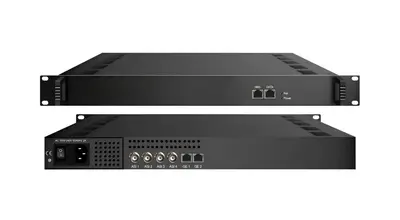
| Signal intake | Tune the incoming satellite, cable, terrestrial or IP feeds and hand the streams on | FUQ4619C IP gateway: 24 RF tuner inputs, DVB-T/T2/C/S/S2 |
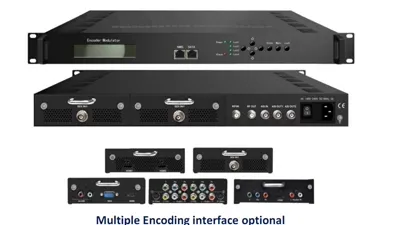
| Encoding | Turn HDMI or SDI sources into MPEG transport streams | FUQ4322B 4K encoder: dual HDMI 2.0 in, H.265/HEVC or H.264/AVC, 1 Mbps to 23 Mbps |
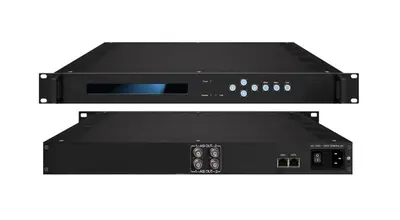
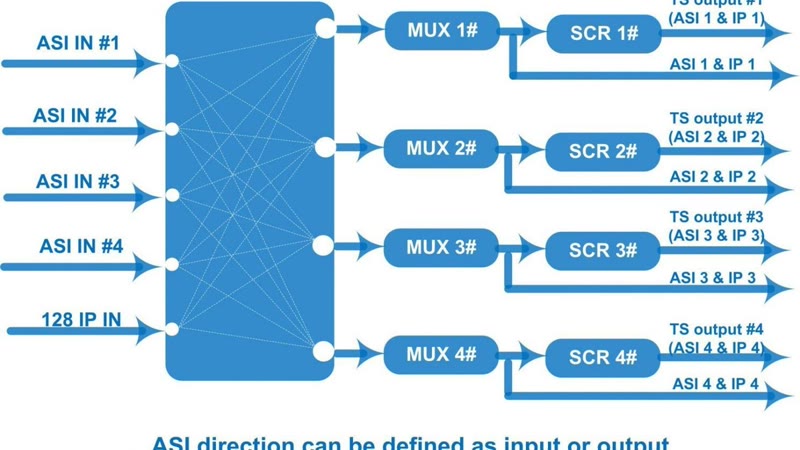
| Multiplexing and scrambling | Group services, edit PSI/SI, remap PIDs, insert EPG and CA data | FUQ4214 IP multiplexer: 512 IP inputs, 2 ASI and 2 IP outputs |
| IP distribution | Multicast the line-up onto the building network | FUQ1000A hotel IPTV platform, or a gateway for a plain multicast line-up |
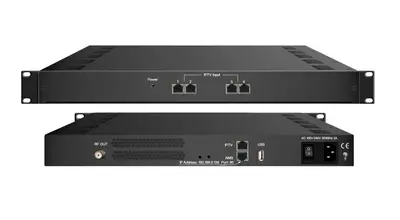
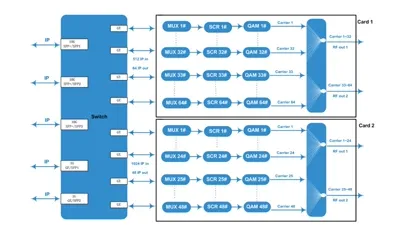
| RF leg | Put the line-up back onto coax for existing tuners | FUQ4455B IP QAM modulator: 192 IP inputs, 4 DVB-C carriers |
| Monitoring | Verify the stream and the carrier during commissioning and afterwards | FUQXB transport stream analyzer |
The stages can also live in one chassis. The FUQ400B is a 1U modular processor that publishes 6 configurable slots for encoding, decoding, transcoding, multiplexing, descrambling and modulating modules, with IP input and output on GE1 and GE2 plus ASI. Which arrangement suits a site is the subject of the IPTV headend equipment guide; this article assumes the equipment list is settled and the room is not.
How Much Rack Space and Power Does a Headend Need?
Rack space comes from the chassis list, not from the channel count. The rack-mount units used in this guide publish 44 mm of face height each, which is one rack unit in a 19-inch rack, so the height of the line-up is the unit count plus the air gaps between them.
| Model | Published dimensions (W × L × H) | Published consumption | Operating temperature |
|---|---|---|---|
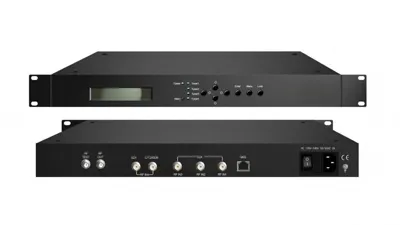
| FUQ4619C IP gateway | 482 mm × 300 mm × 44 mm | 40 W or less | 0 to 45 °C |
| FUQ4214 IP multiplexer | 482 mm × 410 mm × 44 mm | Under 25 W | 0 to 45 °C |
| FUQ4455B IP QAM modulator | 430 mm × 180 mm × 44 mm | Not published — ask for the datasheet | 0 to 45 °C |
| FUQ4322B 4K encoder | Not published — ask for the datasheet | 25 W | 0 to 45 °C |
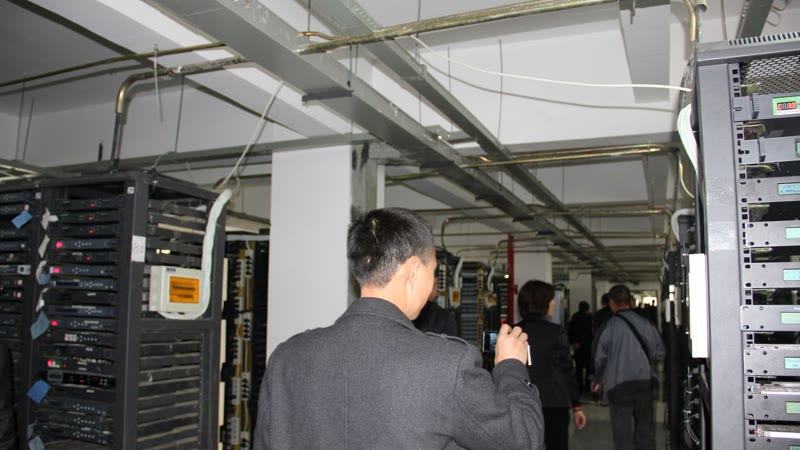
Read the table as a power budget and a cooling problem at the same time, and read the width and depth columns before the height. A headend of ten units drawing around 25 W to 40 W each is not a large electrical load, but all of that energy leaves as heat inside a closed cabinet, and every unit in this table publishes the same operating window of 0 to 45 °C. A rack that sits in a room without cooling will exceed that window in a warm climate long before the equipment is at fault.
Three practical rules follow from the published rows.
- Leave 1U of clear air between active units and never fill the top of the rack with equipment, because the warm air has to leave somewhere.
- Check the depth before ordering rails. The units here publish depths from 180 mm to 410 mm, and a chassis with connectors and cable bends at the rear needs more depth than its own dimension suggests.
- Keep the mains protection in the design. The FUQ4214 page publishes its power supply as 110 VAC plus or minus 10 percent and 220 VAC plus or minus 10 percent, and the FUQ4455B page publishes AC 100 V and AC 220 V inputs, so a site with unstable mains needs the protection specified with the rack rather than bought after the first failure.
Which Cables and Connectors Belong at Each Stage?
Four interface families cover most headend wiring, and each one fails in its own way. The published connector rows are the place to start, because they decide the patch leads and the panels that have to be ordered with the rack.
| Interface | Published example | What it means at install time |
|---|---|---|
| RF coax | FUQ4455B: one F-type output port for 4 carriers, 75 ohm | One connector carries the whole QAM group, so the patch to the combiner is a single coax run |
| ASI (BNC) | FUQ4214: 2 independent ASI output channels, each channel 2 ports, up to 210 Mbps | Reserve the BNC patch leads for the stream rack; keep them out of the IP patch panel |
| Ethernet | FUQ4214: 2 IP ports (RJ45, GE), UDP, up to 230 Mbps; FUQ4619C: UDP/RTP output | Two networks or one segmented network: management and video do not belong on the same flat VLAN |
| HDMI and SDI | FUQ4322B: dual HDMI 2.0 inputs; FUQ4655AB encoder: 12 HD-SDI plus 32 IP inputs | Source-side leads are short and stay inside the rack, so they need strain relief rather than length |
Two habits reduce the wiring half of a commissioning visit to a formality. Label both ends of every lead with the stage and the port, not the room, and run the video and RF cabling down one side of the rack with the mains down the other, so a later fault can be traced without pulling the rack apart.
How Should the Rack Be Laid Out?
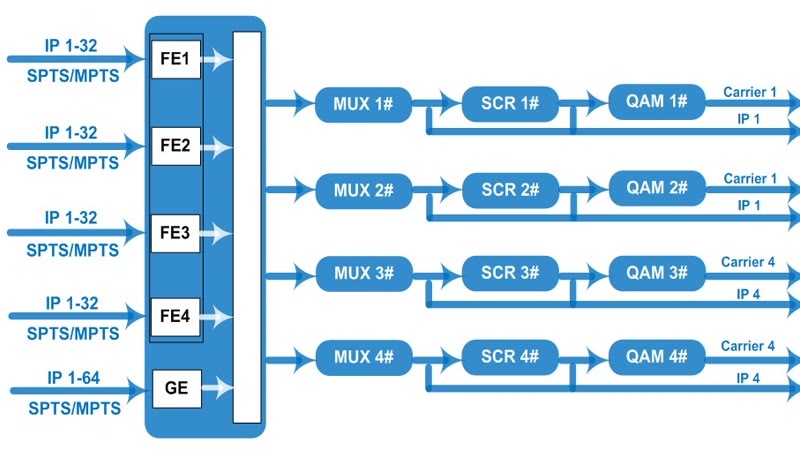
Lay the rack out in signal order, top to bottom, and the rack drawing starts to explain itself: intake at the top, then encoding, then multiplexing, then distribution, then the RF output stage, with the monitoring point beside the stage it watches. Any engineer opening the cabinet can then follow the chain without a drawing.
- Top: signal intake, the gateway or IRD that receives satellite, cable or terrestrial feeds. Aerials and dishes arrive here, so it is also the stage with the most RF leads.
- Upper middle: encoders for the local sources, such as HDMI players, cameras or a studio feed.
- Middle: the multiplexer, where services are grouped and the PSI/SI and EPG data are edited.
- Lower middle: the distribution and RF output stage, either a multicast gateway into the building switches or a QAM modulator onto the existing coax.
- Bottom: monitoring and test equipment, plus the analyzer used during commissioning.
Where a site runs both an IP wing and an older coax wing, the two output stages sit together at the bottom of the rack and are fed from the same multiplexer, so one channel plan serves both. That arrangement is walked in the IP to QAM modulator guide, and the room-level version of it is in the hotel headend guide.
What Has to Be Configured Before the First Test?
Configuration is where the installation is either repeatable or fragile, and the order matters: addresses first, then streams, then services, then the interface the guest or viewer actually sees. Write each item down as it is set, because the written record is what makes the system supportable a year later.
- Addressing. Management and video on separate ranges or separate VLANs, with fixed addresses for the headend units rather than DHCP leases that can move.
- Multicast groups. One group per service, recorded in the channel plan. This is the stage that depends on the switch: the FUQ1000A platform page states that if the UDP protocol is adopted in live services, switches of the access layer should support IGMP protocol.
- PSI/SI and PID handling. The FUQ4619C gateway auto-generates PSI/SI, remaps PIDs, filters services and adjusts PCR, and publishes a maximum of 512 PIDs per channel. The FUQ4455B modulator publishes PID remapping of up to 748 entries per input channel, and the FUQ4214 multiplexer can insert EPG, CA and data services with the PSI/SI when it groups programs.
- Service naming and EPG. Channel numbers, names and the EPG source belong in the same record as the multicast groups, because they are the three things a viewer notices and the three a support call starts with.
- PCR and timing. Where a gateway or modulator adjusts PCR, confirm it after the first multiplex, not after the whole rack is closed up.
How Do You Commission and Test an IPTV Headend?
Commission in signal order and take a measurement at every stage, so the first failure is identified where it happens rather than at the screen. Each test below names the place where it is taken and the result it has to produce.
| Test | Where it is taken | What it proves |
|---|---|---|
| Transport stream integrity | Analyzer on the ASI or IP output of the multiplex stage | Continuity counters clean, service list matches the channel plan, no missing or duplicated programs |
| Carrier at the chassis | Analyzer on the RF output of the QAM modulator | The carrier is present and modulated as configured, with 64/256 QAM and a symbol rate inside the published 5.0 to 9.0 Msps window |
| Multicast join in the building | A set-top box or smart TV on the access switch | The client joins the group it asks for, without flooding every port — the IGMP test |
| RF level at the farthest outlet | Level meter at the outlet, not at the rack | The level reaches the design value at the worst point of the plant, and the outlet's pass band covers the channel plan |
| Power cycle | Each headend unit in turn | Configuration survives a restart and the line-up comes back without a site visit |
| Twenty-four hour soak | The whole system, before handover | Nothing drifts overnight: no thermal shutdown, no stream that stops when the room warms |
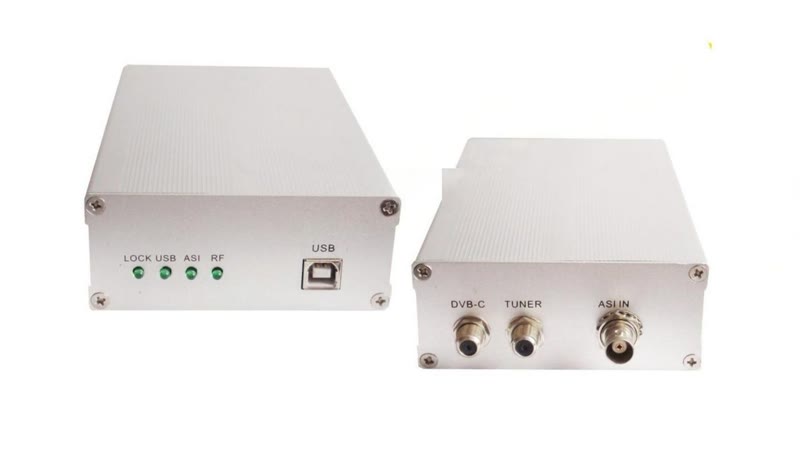
The instrument that covers both halves of that table is the FUQXB analyzer: 1x ASI and 1x RF (DVB-C) input, real-time TS analysis at 160 Mbps, automatic handling of 188/204-byte packets, and offline capture up to 120 Mbps, which is enough to prove the stream before the carrier is measured.
Two things belong in the commissioning window even though they are not measured there. The first is a channel-by-channel zap test on a real client at the far end of the building, because it is the fastest way to find the one multicast group that was typed wrongly. The second is a photograph of the finished rack, front and rear, filed with the test sheet: it is the document that saves the most time on the next visit.
Which Installation Mistakes Cause the Most Call-Backs?
The same handful of faults account for most of the support calls we see after a headend goes live, and every one of them is cheaper to avoid during installation than to diagnose later. The list below is the one we walk through with integrators before a rack is closed. It applies to any property — the hotel TV system guide and the hospital IPTV system guide both assume this sequence, and the equipment it lands on is grouped on the IPTV and hospitality solutions page.
- A coax plant narrower than the channel plan. A carrier placed outside the pass band of the building's amplifiers arrives at the television attenuated, and no modulator specification recovers it. Survey the existing plant before the carrier list is fixed.
- A switch without IGMP snooping. Live UDP services flood every access port, and the building feels like a bandwidth failure rather than a configuration omission.
- RF levels set at the rack instead of at the far outlet. The number that matters is the one at the last outlet on the longest branch, measured with the plant in its final state.
- Unlabelled leads and unrecorded addresses. The second visit then costs more than the first, because the headend has to be re-identified before it can be diagnosed.
- No air gap and a closed cabinet. A unit inside its published temperature window in the room can still be outside it inside a fully populated rack.
- Configuration left in the installer's head. A channel plan that exists only in a screenshot disappears with the installer's phone.
- Testing only from the headend. A multicast group that works on the rack switch can still fail on the access layer, so the test client belongs at the far end of the building.
What Documentation Should Be Handed Over at the End?
Hand over one document set, not a folder of manufacturer PDFs. The handover pack is what makes the system supportable by someone who was not on site, and it should be written as the installation is done rather than reconstructed afterwards.
The pack holds the rack elevation with the units named, the port map with every lead labelled, the address and multicast plan, the channel list with bit rates and service names, the PSI/SI and PID notes, the RF measurements per outlet, the test sheet with the soak result, and the list of spares held on site.
Add the conditions the system was commissioned under: the room temperature at the time of the test, the firmware and configuration file version of each unit, and the date the configuration was last exported. Everything on that list is something a future engineer would otherwise have to rediscover.
What Does the Factory Do Before a Headend Ships?
Every unit is built in our own factory in Guangzhou, which has produced broadcast and headend equipment since 1994 on a 15,893 square metre site, and each unit is burned in for 72 hours before it is packed. The burn-in is where a thermal or power fault shows up in our building rather than in the customer's rack.
That is also why we ask for the configuration details at the quotation stage rather than at delivery: the source standards, the channel list and the output plan decide which modules go into the chassis. Units ship to more than 200 countries, with quotations issued factory-direct, so a configuration is priced as a configuration rather than as a box. Where a model page does not publish a row your installation depends on — power consumption on the FUQ4455B, dimensions on the FUQ4322B, or a figure that simply is not listed — ask us for the datasheet of that exact model instead of taking a value from a neighbouring model in the same family.
How to Get an Installation-Ready Configuration
An installation enquiry is answered faster when it arrives as a site description rather than a product name. The list below is what we work through before quoting, and every line of it changes something in the configuration we send back.
- Sources and standards. The source list, and the standard each tuner has to read.
- Channel plan. The channel list with a target bit rate per channel, and the service names.
- RF leg. The carrier count and RF standard where the coax plant is staying.
- Building. The outlet count, the condition of the existing cabling, the switch model and whether it handles IGMP.
- Room. The rack space, depth and mains available where the headend will stand.
With those details we return the model list, the datasheets for the exact models, the rack layout the units were designed for, and a written factory-direct price. The pages worth reading beside this one are the FAQ for the commercial questions, the solutions page for the vertical layouts, and the contact page to start the enquiry. Where the headend is being specified rather than installed, start from the headend equipment guide and come back to this checklist with the equipment list in hand.
Frequently Asked Questions
How much rack space does an IPTV headend need?
Count the chassis first and then add air. The units in this guide that publish a height are 44 mm tall each, which is one rack unit in a 19-inch rack, and their widths run from 430 mm to 482 mm, so a gateway, a multiplexer and a QAM modulator come to 3U before any gap is added. The encoder in the same table publishes no dimension row, so its height has to come from its datasheet rather than from this count. Leave at least 1U of clear air between heat-generating units and confirm the rack depth: the published depths here run from 180 mm to 410 mm, and a shallow cabinet with rear cabling needs the measurement taken before the rails are ordered.
Do the network switches need to support IGMP?
Yes, when live services are carried over UDP. The FUQ1000A platform page states it directly: if the UDP protocol is adopted in live services, switches of the access layer should support IGMP protocol. Without IGMP snooping the access switch floods every multicast group to every port, which is the single most common cause of an IPTV installation that works in the rack and fails in the building.
Can one headend feed IP screens and the existing coax televisions at the same time?
Yes. The IP leg goes to the building network through a gateway or the platform server, and the RF leg is built by an IP QAM modulator such as the FUQ4455B, which takes 192 IP inputs over 4 FE and 1 GE ports and outputs 4 DVB-C carriers on a 75 ohm F-type port. The televisions already on the coax keep working because their own tuners do the receiving. The route is walked step by step in our IP to QAM modulator guide.
What instrument is needed to commission the headend?
A transport stream analyzer for the stream and a level meter for the carrier. The FUQXB analyzer published here covers 1x ASI and 1x RF (DVB-C) input with real-time TS analysis at 160 Mbps, handles 188/204-byte packets automatically and supports offline capture up to 120 Mbps, so one laptop covers the stream checks and the carrier check beside them. RF levels at the outlets are measured with the meter the installer already carries.
How long does an IPTV headend installation take?
No standard duration is published, because the building decides it rather than the rack. The rack build and the configuration of the units are the short part; the cable plant to the outlets, the state of the existing coax and the access to rooms usually set the schedule. Send the room count, the source list and the condition of the cabling and we return a staged plan with the headend part separated from the wiring part.
Does the headend need a UPS and a cooled room?
The room is not optional: the units used in this guide publish an operating temperature of 0 to 45 degrees Celsius, so an equipment room that runs hotter than that is outside the published condition. A UPS is a site decision rather than a datasheet row, but an uncontrolled power cut during a service window takes the whole lineup down at once, so specify the power protection with the rack rather than after the first outage.
What should be confirmed before the headend is ordered?
The source list and the standard each tuner has to read, the channel list with a target bit rate per channel, the carrier count and RF standard for the coax leg, the outlet count and condition, the switch model and whether it handles IGMP, and the rack space and mains available in the room. Where a row you need is not published on a model page, ask us for the datasheet rather than taking a value from a neighbouring model.
Previous
DVB to IP Gateway Guide: Tuner, ASI and SPTS/MPTS
Next
DVB-T Transmitter Guide: Power, Channel and Coverage
Talk to the headend engineers before you specify
Send the model number you are looking at — or the channel count and the input and output formats you work with — and we answer with the datasheet, the configuration and a written price. The reply comes from the headend team in Guangzhou, not a sales line.