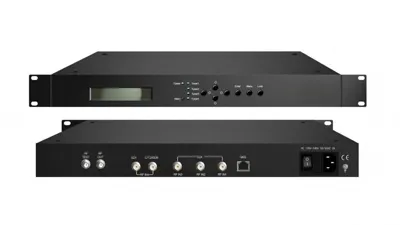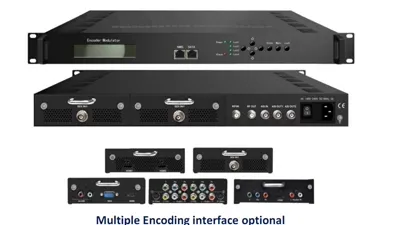
IPTV Headend Equipment: Encoders, Gateways, STBs
The building blocks of any IPTV system: encoders, transmodulators, gateways, multiplexers and set-top boxes — what each does and how they fit together. Each model named in this article is one of 190 in the Hanxing catalogue, published with its own specifications and datasheet.
Hanxing Team
Broadcast & IPTV Experts
The path this guide walks
- Sourcessatellite, cable, camera, playout
- EncoderHDMI / SDI to IP
- Gatewaymulticast line-up
- NetworkLAN or building wiring
- STBat the screen
What Is an IPTV Headend?
An IPTV headend is the equipment rack that turns the television a site already receives — satellite, terrestrial, HDMI players or cameras — into IP streams a building network can carry. Our catalogue covers nine product lines and 190 models, from a 1U modular chassis with 6 configurable slots to a 2-U encoder taking 48 HDMI inputs.
Buyers who write it as IPTV head end mean the same rack. The phrase names a position in the signal chain rather than one product, which is why a headend is specified as a list of stages and not as a single model. Everything quoted below is printed on the product page of the model it belongs to, and where a page does not publish a value this guide says so rather than estimating it.
What Are the Three Stages of an IPTV Headend?
Every IPTV headend splits into acquisition, processing and distribution, and each stage has one published quantity that sizes it: tuner inputs at the front, bit rate in the middle, stream or carrier count at the back. Read the three rows against your own source list and channel plan and the rack falls out.
| Stage | Published quantity that sizes it | A model that publishes it |
|---|---|---|
| Acquisition: locks satellite, cable, terrestrial or IP feeds | 24 RF tuner inputs across DVB-T/T2/C/S/S2, IP output over UDP/RTP | FUQ-4619C V3 |
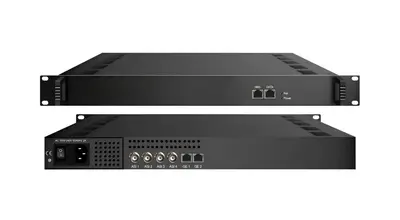
| Processing: encodes, groups services and remaps PIDs | 512 IP inputs, 2 ASI and 2 IP outputs, IP up to 230Mbps | FUQ-4214 |
| Distribution: multicast on the LAN or RF carriers on coax | 192 IP inputs, 4 carriers on one F typed output port, 75 ohm, 64/256 QAM | FUQ-4455B |
A site that receives only satellite skips the encoder stage; a site with cameras and players skips the tuner stage; a site whose screens are all on the LAN drops the modulator. The three stages stay the same names whether the rack is four units or forty. The acquisition end is worked through in the DVB to IP gateway guide and the distribution end on the IP gateway range page.
How Does Multicast Carry the IPTV Line-up?
The headend sends each channel once, and the building switches copy that stream to the ports that asked for it, so ten viewers of one channel cost the headend one stream rather than ten. That matters from about fifty screens upward, and it is decided by the switch rather than by the headend equipment.
The published note on our FUQ-1000A integrated IPTV platform states that if the UDP protocol is adopted in live services, access-layer switches should support IGMP. That single sentence is the whole multicast requirement on the network side: without IGMP snooping the switch floods every port with every channel, and the building behaves like a bandwidth failure rather than a configuration omission.
Three records belong in the channel plan beside the multicast groups. One group per service, so a channel can be found by name and not by address. A management range kept off the video VLAN, because the headend units are fixed-address devices. And the service names with their bit rates, because the group, the name and the bit rate are the three things a support call starts with. The switch side is measured during commissioning in the headend installation checklist.
What Are the Parts of an IPTV Headend?
Six component types fill the rack, and each one is bought on a different published row: inputs for the encoders, IP capacity for the multiplexer, carrier count for the modulator. The list below is the order the signal travels, and a project usually uses three or four of the six rather than all of them.
1. Encoders
Encoders convert baseband video — HDMI, SDI, CVBS — into compressed IP streams in H.264 or H.265. Published input counts run from a single HDMI source to 48 HDMI inputs in one chassis, and the per-channel bit rate on each page is the number the network is planned on.
- HDMI encoders take set-top boxes, players, cameras and signage players
- SDI encoders take broadcast cameras and switchers over 75-ohm BNC
- Multi-channel chassis carry 4, 8, 12, 24 or 48 sources in one frame
Our IPTV and broadcast video encoders cover HDMI, SDI and CVBS sources, with the encoding format and bit rate of each model printed on its own page. The encode decision itself is walked in the IPTV encoder guide.
2. Transmodulators
A transmodulator converts RF between standards — DVB-S/S2 satellite to DVB-C, DVB-T, ATSC or IP. As a tuner-to-IP gateway it demodulates satellite, cable and terrestrial carriers, clears them where needed and republishes them as unicast or multicast, which is how one chassis replaces a wall of single-feed receivers.
A tuner-to-IP gateway such as the FUQ-4619C V3 publishes 24 RF tuner inputs across DVB-T/T2/C/S/S2 and an IP output over UDP/RTP, auto-generating PSI/SI, remapping PIDs and publishing a maximum of 512 PIDs per channel. The IP gateway range lists the tuner-to-IP and ASI-to-IP models together.
3. IPTV Gateway
The gateway is the stage that publishes the line-up: stream counts, multicast addressing, and often the transcoding between codecs. A gateway that only republishes a transport stream does not re-encode, which is why it costs a fraction of an encoder bank doing the same work.
Where one chassis has to cover several jobs, an integrated platform does it: the FUQ-1000A is catalogued for live TV, VOD, CAS and PMS on one headend, with the published IGMP note above. Where only the transport-stream side is needed, the IP gateway range carries that on its own.
4. Multiplexer
The multiplexer groups services into one transport stream, edits PSI/SI, remaps PIDs and can insert EPG and CA data. Its published rows are IP input count, output interfaces and total throughput, and those three are what a channel plan is checked against before the order.
The MPEG TS multiplexer and scrambler range covers units such as the FUQ-4214 with 512 IP inputs, 2 ASI and 2 IP outputs and IP up to 230Mbps. The mux stage has its own guide in the transport stream multiplexer guide.
5. Modulators
A modulator puts IP channels back onto RF carriers, which is the stage that keeps an estate of ordinary televisions alive. It is added only where the last hop is coax: a plant feeding set-top boxes or smart TVs over the LAN has no modulator in the rack at all.
That conversion is a modulator job: the DVB-T, DVB-C/QAM and ATSC modulator range runs from single-carrier units to chassis generating dozens of carriers, including the FUQ-4455B with 192 IP inputs and 4 carriers on one F typed output port at 64/256 QAM. Where baseband video has to land on an RF channel with no separate modulator, an HDMI and SDI encoder modulator does both jobs in one chassis.
6. Set-Top Box
The set-top box decodes at the screen and is the only part of the chain a guest ever touches. Published rows to check are the codec it decodes, the HDMI version it outputs and the DRM it supports, because those three decide which encoded line-up it can actually play.
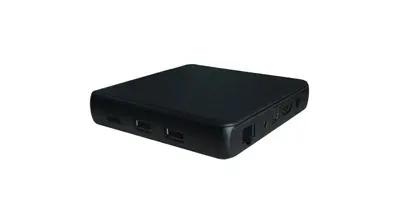
The 1E33XU K publishes Android 7.1, 4K H.265/HEVC decoding, HDMI 2.0 and Widevine L1. Where the estate is moving to smart-TV apps instead of boxes, the trade between the two routes is in the set-top box versus smart TV app comparison.
IPTV Headend Equipment List
A headend is bought as a list of stages rather than as one box: something ingests each source, something groups the programmes, something publishes them, and something decodes at the far end. The table maps each stage to a published model, so the list can be checked against the source list of a real project.
| Stage in the rack | Published inputs and outputs | Model |
|---|---|---|
| HDMI / SDI encoder: baseband video to an IP stream | 4/8/12 HDMI inputs, IP output, LC-AAC or HE-AAC audio | FUQ-5315K |
| Multi-channel network encoder: the same job at rack scale | 8/16/24 HDMI inputs, H.264 over UDP, SRT, RTMP and HLS | FUQ-4339R-N |
| High-density network encoder: 48 HDMI sources in 2-U | 48 HDMI inputs, HEVC/H.265 and H.264 at 1~13Mbps each channel | FUQ-4339K-N V2 |
| Tuner-to-IP gateway: satellite, cable and terrestrial RF to IP | 24 RF tuner inputs across DVB-T/T2/C/S/S2, IP output | FUQ-4619C V3 |
| IP multiplexer: groups programmes into one stream | 512 IP inputs, 2 ASI and 2 IP outputs, IP up to 230Mbps | FUQ-4214 |
| IP QAM modulator: RF carriers for coax-only screens | 192 IP inputs, 4 carriers on one F typed output port, 75 ohm, 64/256 QAM | FUQ-4455B |
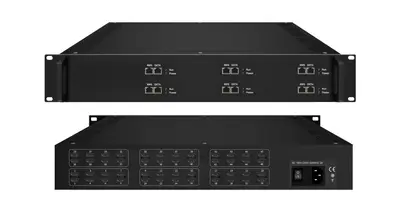
| Modular headend chassis: encode, mux, scramble, modulate | 6 configurable slots, IP on GE1 and GE2 plus ASI output | FUQ-400B |
| EPG server: builds the programme guide | 2044 transport streams and 69,905 programmes, IP output | FUQ-B EPG server |
| Set-top box: decodes the streams at the screen | Android 7.1, 4K H.265/HEVC, HDMI 2.0, Widevine L1 | 1E33XU K |
Each row opens the model page, where the datasheet rows for that unit are printed in full. Where a stage is not needed — a headend feeding only IP screens has no modulator — the row is simply dropped from the list.
HDMI Headend: How Many Sources, Which Chassis?
An HDMI headend is defined by its ingest side: the sources are players, set-top boxes, cameras or signage rather than RF, so the front of the rack is one or more HDMI encoders and everything after them is an ordinary IP chain. The published input count per chassis is what decides the model.
| HDMI sources | Model | Published bit rate |
|---|---|---|
| 2, 4, 8, 16 or 24 | FUQ-4339X | 1~7Mbps each channel |
| 4, 8 or 12 | FUQ-5315K | IP output, LC-AAC or HE-AAC audio |
| 4, 8 or 12, HD-SDI or HDMI | FUQ-4335X | 0.5Mbps~20 Mbps (each channel) |
| 16 or 24 | FUQ-4347X | MPEG-4 AVC/H.264 at 1~13Mbps each channel |
| 8, 16 or 24 | FUQ-4339R-N | H.264 with AAC over UDP, SRT, RTMP and HLS |
| 12 HDMI plus 32 IP | FUQ-4655L | MPEG-2 and MPEG-4 AVC/H.264 |
| 48 | FUQ-4339K-N V2 | HEVC/H.265 and H.264 at 1~13Mbps each channel, 2-U |
Past the largest single chassis the usual answer is a second encoder rather than a bigger one, with the streams grouped downstream. Where the same channels also have to reach coax-only screens, the encoded streams go on to an IP QAM modulator such as the FUQ-4455B; the HDMI to coax guide follows that variant from the modulator end.
How Many Channels Can One Headend Chassis Carry?
Channel count is set by three published numbers that rarely move together: inputs per chassis, total throughput on the multiplexer, and carriers per modulator. A 48-input encoder feeding a mux published at 230Mbps can run out of throughput long before it runs out of inputs, so both rows are read.
| Published limit | Value | Model |
|---|---|---|
| HDMI inputs in one chassis | 48 | FUQ-4339K-N V2 |
| Per-channel encode bit rate | 1~13Mbps each channel | FUQ-4339K-N V2 |
| IP inputs on the multiplexer | 512 | FUQ-4214 |
| IP throughput on the multiplexer | up to 230Mbps | FUQ-4214 |
| IP inputs on the modulator | 192 | FUQ-4455B |
| RF carriers per output port | 4 | FUQ-4455B |
| RF tuner inputs on a gateway | 24 | FUQ-4619C V3 |
| Programme guide capacity | 2044 transport streams, 69,905 programmes | FUQ-B EPG server |
The arithmetic on those rows is a five-minute job before the order. At 5 Mbps per service, 230Mbps of multiplexer throughput carries about 46 services, and the same 230 Mbps at the top of the encoder range (13 Mbps each channel) carries about 17. A 48-input encoder set to 1~13Mbps each channel occupies between 48 and 624 Mbps of video payload, which is why the input count alone never settles a specification.
Two limits are easy to miss. The first is that the multiplexer's 512 IP inputs and its 230Mbps are separate ceilings: neither can be exceeded, and the smaller one decides. The second is that the RF side is counted in carriers, not channels — four carriers per port on the FUQ-4455B at 64/256 QAM, so the channel plan is packed into carriers the way a DVB-C plant expects.
IPTV Headend Diagram: How the Rack Connects
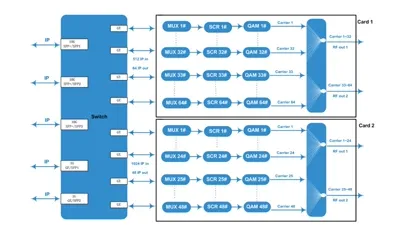
The diagram below is the same chain the tables describe, drawn from the intake side leftwards to the screens on the right. Both output legs leave the same multiplexer, which is what lets one channel plan serve a mixed building of set-top boxes and coax televisions.
Satellite dish ──► Satellite tuner ──┐
HDMI sources  ──► Encoder ──────────┼──► IPTV Gateway ──► Network switch ──► Rooms (STB / Smart TV)
RF antenna    ──► Transmodulator ──┘                        │
                                                           └──► Modulator ──► Coax TVs
Read the drawing as two legs rather than one. The IP leg ends at the access switches, where IGMP decides whether the building scales. The RF leg ends at the combiner and the existing coax plant, where the carrier count and the plant's pass band decide what the televisions can scan. Where a site has both, the two legs are fed from the same multiplexer so a channel is added once and appears in both.
Which Arrangement Fits Your Site?
The stage list is the same everywhere; what changes is which stages a site needs and how much of each. The table reads from the property type to the arrangement, and each row is a starting point rather than a fixed bill of materials.
| Scenario | Recommended setup |
|---|---|
| Small hotel (up to 50 rooms) | All-in-one gateway platform plus set-top boxes |
| Large hotel (50-500 rooms) | Modular: tuner bank, gateway, middleware, 24 to 48 encoder inputs |
| Hospital or campus | Modular headend with multicast distribution and per-ward channel plans |
| ISP or residential | Carrier-grade gateway with transmodulators |
| Legacy coax estate | Add QAM or ATSC modulators to an IP core |
| Mixed sources | Encoders for HDMI and SDI, gateway for RF, one multiplexer behind both |
Where the property is a hotel, hospital or campus, the room-side decisions — middleware, EPG and the choice between set-top boxes and TV apps — are covered in the hotel IPTV headend guide. The cable version of the same chain, with a larger carrier count, is walked in the CATV headend equipment guide.
How Is an IPTV Headend Set Up?
Setup runs in five stages — rack and power, signal path, addressing and streams, commissioning measurements, handover documents — and the equipment list has to be settled before any of them. Skipping the documentation stage is what turns a working rack into one nobody can support.
The order matters more than the speed. Addresses and VLANs are set before streams, streams before services, and services before the client at the far end of the building is tested, because a fault found in that order is found at the stage that caused it. Commissioning takes a measurement at every stage; our FUQXB transport stream analyzer covers both halves of that work with 1x ASI and 1x RF (DVB-C) input, real-time TS analysis at 160Mbps and 188/204-byte packet handling.
The stage-by-stage version of that sequence, with the rack layout and the test sheet, is the IPTV headend installation checklist. Where the sources arrive as SDI or ASI rather than as carriers, the interface stage between production and distribution is in the SDI to ASI headend guide.
What Does an IPTV Headend Cost?
We do not publish list prices, because a headend is quoted per order: the same stage list is priced differently by channel count, carrier count, redundancy and middleware. What we publish instead is the specification of every model, so the quotation is a comparison of known rows rather than a single number.
Four things move the price of any headend more than the rest. The number of stages in the rack, since each one is a separate unit with its own power and rack space. The channel count, because it sets encoder inputs and multiplexer throughput together. Redundancy, where a second feed or a hot-standby unit doubles a stage rather than the whole rack. And the room side, where the set-top box count is set by the number of rooms rather than by the line-up.
Send the source list, the channel count, the formats at each end and the rack height available, and we return the model list with the datasheet for each exact model and a written factory-direct quotation. Units are built in our Guangzhou factory and run a 72-hour burn-in before dispatch, shipping to 200+ countries. The commercial questions are answered on the FAQ page, and the enquiry starts on the contact form.
FAQ
What is an IPTV headend?
It is the rack that takes your television sources — satellite, terrestrial, camera, playout — and republishes them as IP streams a building network can carry. Encoders convert baseband sources, a tuner-to-IP gateway converts RF, a multiplexer groups the programmes, and the gateway publishes the line-up. Modulators are added only where the last hop is coax rather than IP.
What equipment is in an IPTV headend?
The catalogue publishes 190 models in nine lines, and the headend stages sit in five of them: 28 encoders, 20 IP gateways, 15 multiplexers and scramblers, 45 modulators and 21 IRD, decoder and transcoder models. Add the EPG server software that builds the programme guide and the set-top boxes that decode at the screen. A small site uses two or three stages; a full plant uses all of them.
What is an HDMI headend?
An HDMI headend is one whose incoming sources are HDMI rather than RF: players, set-top boxes, cameras or signage. One or more HDMI encoders turn those sources into IP streams, and the multiplexing, gateway and distribution stages are the same as in any other headend. The word HDMI describes the ingest side, not a separate product class.
How many HDMI inputs can one headend take?
Published single-chassis counts in our line run from 2 HDMI inputs on the FUQ-4339X through 4/8/12 on the FUQ-5315K and the FUQ-4335X, 8/16/24 on the FUQ-4339R-N and 16/24 on the FUQ-4347X, to 48 HDMI inputs on the FUQ-4339K-N V2. Where a project needs more, the rack takes a second encoder chassis rather than a larger one.
How does an IPTV headend handle multicast?
The headend sends each channel once as a UDP multicast stream and the building switches copy it to the ports that joined the group, so ten viewers of one channel cost one stream rather than ten. The FUQ-1000A platform page states that if the UDP protocol is adopted in live services, access-layer switches should support IGMP. Without IGMP snooping every port receives every channel.
Do I need a server as well as the headend equipment?
Only where the system has to publish a programme guide or manage subscribers. The software line covers a DVB-compliant EPG system handling up to 2,044 transport streams and 65,530 programmes, an ATSC-compliant EPG server managing 2,044 transport streams and 69,905 programmes, and an IPTV server taking 1 HDMI, 1 tuner and IP inputs. Everything else in the rack is hardware.
What does an IPTV headend cost?
We do not publish list prices, because a headend is quoted per order: channel count, carrier count, redundancy and the number of room-side devices all move the figure. Send the source list, the channel count, the formats at each end and the rack height available, and we reply with the model list, the datasheet for each exact model and a written factory-direct quotation.
How do I get specifications and a price for a headend?
Open the model page: each one publishes the datasheet rows for that unit. Send the source list, the channel count and the formats at each end, and we reply with the model list, the datasheet for every unit in it and a written factory-direct price. Anything a page does not print is confirmed against the datasheet rather than estimated.
Video guides on this topic
All guidesHow does the equipment cost change as my channel count grows?
Price follows your channel count and the inputs you have - there is no list price, so send both and we quote each model with its datasheet.
Ask for the model list and a quoteWhich source option is the cheapest for the channels I want to carry?
Price follows your channel count and the inputs you have - there is no list price, so send both and we quote each model with its datasheet.
Ask for the model list and a quotePrevious
How to Choose a Broadcast Antenna: FM, VHF & UHF
Next
Hotel IPTV Systems: Set-Top Box vs Smart TV App
Talk to the headend engineers before you specify
Send the model number you are looking at — or the channel count and the input and output formats you work with — and we answer with the datasheet, the configuration and a written price. The reply comes from the headend team in Guangzhou, not a sales line.