Campus IPTV System: Headend and Dorm Distribution
How a campus IPTV system is planned: the headend that feeds lecture halls, libraries and residence halls, and how IP and legacy coax are served together. Each model named in this article is one of 190 in the Hanxing catalogue, published with its own specifications and datasheet.
Hanxing Team
Broadcast & IPTV Experts
The path this guide walks
- Sourcessatellite, terrestrial, cable, internet and campus-produced video
- Receivetuner-to-IP gateways and CI receivers publish the feeds as transport streams
- Encodelecture halls, the studio and the notice channel are encoded once
- Processselect services, remap PIDs, rebuild PSI/SI, insert the guide and the logo
- DistributeQAM or DVB-T carriers on the residence coax, multicast on the campus LAN
- Screensa television with a tuner, a set-top box, a desktop or a tablet
One campus headend leaves the rack twice: RF carriers for the buildings that keep their coax, and multicast for the buildings that were re-cabled.
A campus television system is bought by two different people at once. The estates team wants the screens already in the halls, lecture rooms and residence blocks to keep working with as little new cabling as possible. The IT and teaching side wants a channel where a lecture, a graduation ceremony or an emergency notice can be published to the whole site from one desk. Both requirements land in the same equipment room, and the way they fit together is what this guide walks through.
A campus is not a hotel with more rooms. A hotel has one building type, one guest profile and a single billing relationship. A campus has residence halls where students bring their own devices, lecture theatres where the content is created rather than received, libraries and laboratories where the screen is a desktop, and administration buildings that need a notice channel more than an entertainment line-up. Each of those areas arrives at the headend with a different input, a different distribution leg and a different expectation about who can watch what.
Every figure quoted below is printed on the product page of the model it belongs to. Where a page does not publish a value, this guide says so and sends you to the datasheet instead of estimating, because a campus system is bought on tuner counts, carrier counts and standards, and a guessed number only shows up after the first building is wired.
What Is a Campus IPTV System?
A campus IPTV system is one headend that receives broadcast and internet feeds, adds the channels the institution produces itself, and delivers the finished line-up to every screen on site over the network, over the existing coax, or over both at the same time. It is a headend plus the distribution decisions around it.
The unit of work is the MPEG transport stream, not the individual channel. That is why a lecture capture feed and a satellite transponder can be treated identically once they are inside the rack: both are services in a multiplex that can be selected, re-labelled, given a programme guide and scrambled or left clear. It is also why the questions that decide a quotation are asked before any model is chosen — how many screens per building, which standard each group of screens can tune, and whether the residence halls keep the coax that is already in the wall.
The table below is the order the chain is built in, with the published chassis that does each job in our range.
| Stage | Job in the chain | Published examples |
|---|---|---|
| Sources | Satellite, terrestrial, cable, internet and campus-owned feeds | dish and LNB, DVB-T/T2 aerial, cable feed, studio and lecture hall outputs |
| Receive | Lock the external feeds and republish them as transport streams | FUQ4619C-3 tuner-to-IP gateway, FUQ4619C V3 24-tuner gateway |
| Encode | Turn the institution's own video into transport streams | FUQ3224K SDI/HDMI encoder, FUQ4339KN V2 48-HDMI encoder |
| Process | Select services, remap PIDs, rebuild PSI/SI, scramble | FUQ4455A mux-modulator, FUQ3514 multiplexer scrambler |
| Distribute | Carriers on the campus coax, or multicast on the campus LAN | FUQ4443-3 IP QAM modulator, FUQ4619X IPTV gateway |
| Screen | What the viewer actually operates | 1E33XU-K set-top box, hospitality television, desktop or tablet player |
Why Is a Campus Different From a Hotel or a Hospital?
Because the buildings are not the same as each other. A hotel is one property with one wiring standard and one line-up; a campus is a group of buildings of different ages, some with coax from a previous system and some with data cabling only, and the headend has to serve both without a separate rack for each.
The single-property version of that chain is in the hotel headend guide, and the equipment is grouped by deployment on the IPTV and hospitality solutions page.
Four differences shape the design. First, the sources are split between what the institution receives and what it produces, so the rack needs both tuners and encoders. Second, the screens are owned by different people — a residence television, a lecture room display, a library desktop — so the same service may arrive as an RF carrier in one building and as a multicast stream in another. Third, the line-up changes with the academic calendar rather than with a booking system, which is why the guide and the channel naming matter more than a per-room entitlement. Fourth, an emergency or notice channel has to reach screens that are not showing entertainment at all, which is a distribution problem rather than a content problem.
| Campus area | What it usually needs | Published chassis for it |
|---|---|---|
| Residence halls | Many screens, few services, coax often already in the wall | FUQ4443-3 IP QAM, FUQ44105B V3 QAM modulator |
| Lecture theatres and classrooms | Capture of HDMI or SDI sources, low latency, one channel per room | FUQ3224K, FUQ4322B, FUQ4339KN V2 |
| Campus studio and notice channel | Insert a self-made channel into the line-up with a logo | FUQ4655BC, FUQ-OSD100 |
| Library, laboratories, offices | Desktop and mobile viewing, no tuner | FUQ4619X IPTV gateway, FUQ-NEP10 |
| Sports and events venues | Temporary or seasonal channels, often with signage | FUQ4619C-3, FUQ-ADS |
Which Sources Feed a Campus Headend?
A campus normally mixes four kinds of source and the mix decides the input side of the rack. Satellite carries the widest international line-up, a terrestrial aerial covers national channels, a cable operator feed fills the local gap, and the internet supplies niche and premium services as streams rather than carriers.
The campus adds a fifth source that no hotel has: itself. A graduation ceremony, a lecture capture system, a sports fixture or an announcement channel is created on site and has to enter the rack as video, be encoded once, and then behave like any other service for the rest of its journey.
| Source | What arrives at the headend | Published entry point |
|---|---|---|
| Satellite | LNB output in the 950~2150MHz IF band, encrypted or free to air | 24 tuner inputs plus 2 ASI and 1 USB on the FUQ4619C-3, up to 1024 SPTS over UDP/RTP/RTSP |
| Terrestrial and cable | DVB-T, DVB-T2, DVB-C, S, S2 carriers from an aerial or a franchise feed | 24 RF tuner inputs across DVB-T/T2/C/S/S2 on the FUQ4619C V3, 512 PIDs per channel |
| Multi-standard receive | One chassis that reads satellite and terrestrial services together | 16 tuner inputs and 2 ASI on the FUQ46610F, 512 SPTS or 16 MPTS, BISS Mode 1 and Mode E up to 850Mbps |
| Encrypted feeds with a CAM | CI receiver for services that need a card rather than a key | 8 tuner inputs on the FUQ4696, 1 ASI plus 16 IP inputs, 1 MPTS and 16 SPTS out |
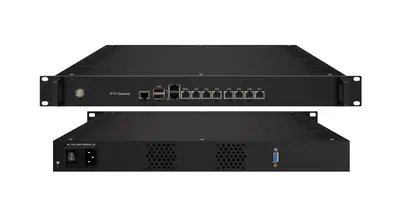
| Internet and OTT streams | SRT, HTTP, UDP, RTP, RTSP, HLS or RTMP on Ethernet | 8 data ports on the FUQ4619X IPTV gateway, about 80 HD/SD programmes over UDP multicast at 80% CPU load or less |
| Campus-produced video | HDMI, SDI, YPbPr or CVBS from a studio, hall or camera | the encoders in the next section |
A satellite-demodulator stage is often enough on its own where a single transponder group is being redistributed. The FUQ3902B publishes 2 tuner inputs across the 950-2150MHz band, CAM/CI or BISS descrambling, re-multiplexing of up to 32 channels into one MPTS, and 32 IP stream outputs over UDP/RTP, with 256 PIDs of remapping per input channel.
How Do Lecture Halls and the Campus Studio Get On the Network?
They are encoded, once, at the point where the video is created. A lecture capture PC, a camera on a tripod or a studio mixer all produce baseband video; an encoder turns that into a transport stream that the rest of the rack can switch, modulate or multicast exactly like a satellite service.
The decisions that matter are the input count, the encoding standard and the bit rate assigned to each channel. The input count follows the number of rooms being captured on one chassis, the standard decides how much carrier or network capacity each channel consumes, and the per-channel bit rate is what every link behind the encoder has to carry. Our own pages publish those figures per model rather than as a range for the family.
| Published encoder | Inputs | Encoding | Output | Per-channel bit rate |
|---|---|---|---|---|
| FUQ3224K / FUQ-3224GJ | 4-8-12 channel HD-SDI and HDMI 1.4 | HEVC/H.265 or H.264 | Gigabit IP | 0.5Mbps to 20Mbps in HEVC, 4Mbps to 20Mbps in H.264 |
| FUQ4322B | dual HDMI 2.0 with hot redundancy | H.265/HEVC or H.264/AVC | 1 TS over 4 ASI plus 1 MPTS over IP | 1Mbps to 23Mbps |
| FUQ4339KN V2 | 48 HDMI | HEVC/H.265 and MPEG-4 AVC/H.264 | UDP, SRT, RTSP, RTMP, HTTP and HLS | 1Mbps to 13Mbps each channel |
| FUQ3214C | 4-8-12 CVBS and SDI | MPEG-2, MPEG4 AVC/H.264 | IP | 0.5Mbps to 5Mbps |
Two rows in that table decide a lecture hall project more often than the others. Audio is one: the FUQ3224K publishes audio encoding in MPEG-1 Layer 2, LC-AAC, HE-AAC, HE-AAC V2 and AC3 passthrough, which is what keeps a lecture recorded on the room's own system in sync with the video once it is multiplexed with satellite services that carry a different audio codec. Physical space is the other: the FUQ4339KN V2 publishes a 482mm x 328mm x 88mm chassis, which is a 2U unit, while the smaller hall encoders are built for a fraction of that footprint.
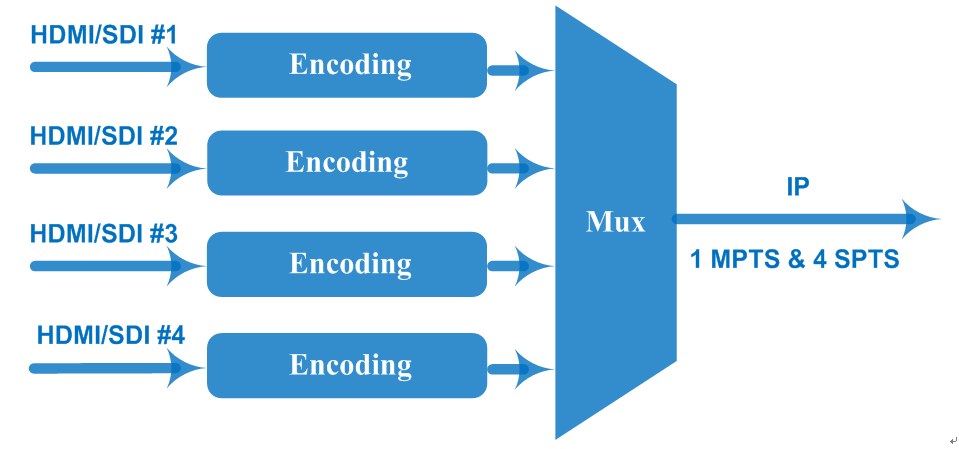
Where the video has to travel between the hall and the headend before it is encoded, the transport stream can be carried over the campus network instead of baseband. The FUQ4322B is published with dual HDMI 2.0 inputs and hot redundancy, which suits a hall whose feed must not drop during a ceremony, and its published output is a transport stream over 4 ASI ports plus one MPTS over IP.
How Does a Campus Channel Reach a Dormitory Television?
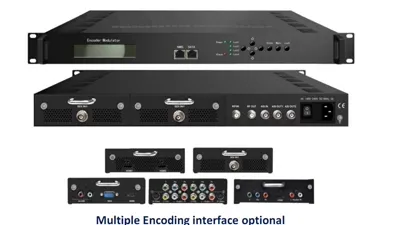
Through an encoder modulator, which is the box that does the encoding and the RF modulation in one chassis. The campus channel enters as HDMI, SDI, YPbPr or CVBS, is encoded to MPEG-2 or MPEG-4 AVC, and leaves as DVB-C, DVB-T, ATSC or ISDB-T carriers that the television in the room tunes with its own tuner.
This is the route that keeps the residence halls untouched. No set-top box, no network point and no change to the wiring are needed in a room that already has a coax outlet and a television with a digital tuner, because the room end of the chain is the same as it was under the previous analogue or digital system.
| Published encoder modulator | Inputs | Encoding | RF output |
|---|---|---|---|
| FUQ4653D | 2x HDMI, YPbPr and CVBS | MPEG-2 HD or MPEG-4 HD | J.83A (DVB-C), J.83B, J.83C; MER ≥40dB; 30~960MHz, 1kHz step |
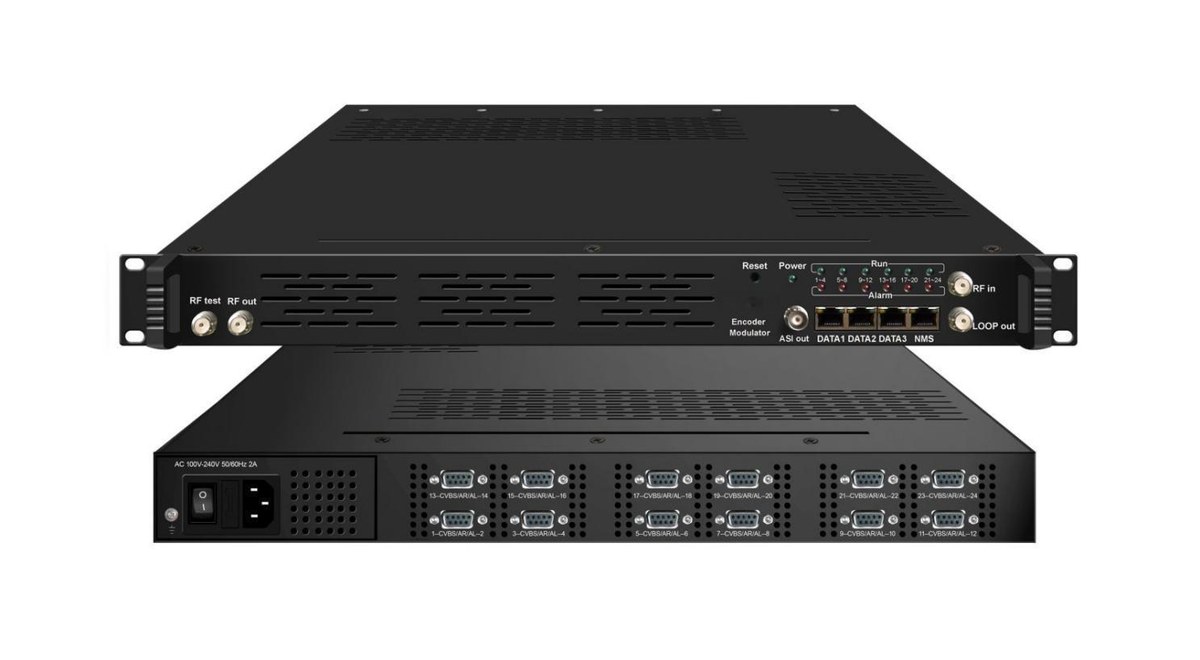
| FUQ4655BC | 24 CVBS plus IP streaming on the DATA1 port | MPEG-2 | 16 non-adjacent DVB-C carriers, or DVB-T to EN300744 |
| FUQ4655AB-2 | 12 HD-SDI, plus a DVB-C tuner and up to 512 IP inputs | MPEG-2 and MPEG-4 AVC/H.264 | 16 DVB-C carriers; optional DVB-T, ATSC or ISDB-T with ASI mirroring |
| FUQ3532AB | 32 CVBS and 256 IP inputs | MPEG-4 AVC/H.264 | 8 RF outputs plus 8 MPTS IP streams; DVB-T to EN300744 |
| FUQ4653XY | 24 CVBS and 128 IP inputs | MPEG-2 and MPEG-4 AVC/H.264 | 4 DVB-C carriers in a combined output; EN300429 and ITU-T J.83A/B |
| FUQ4647R | 8, 16 or 24 HDMI plus 1 ASI, 1 USB player and 128 IP streams | MPEG-4 AVC/H.264 | 12 DVB-C RF carriers plus ASI and IP mirrors |
| FUQ4665 | 4 channels over HDMI, YPbPr and CVBS | MPEG-2 or MPEG-4 AVC H.264 | DVB-T COFDM, ATSC or DVB-C; MER ≥42dB; LCN insertion published as yes |
Two published rows are worth checking before the order, because they differ across the family. The first is scrambling: where a campus carries licensed content that is sold or restricted, the encoder modulator has to be able to speak to the conditional access system, and the FUQ4637TB publishes scramble standards of ETR289, ETSI 101 197, ETSI 103 197 for exactly that. The second is the RF level window, which has to match the combiner the site already owns: the FUQ4653D publishes an output level of -30~-10dBm, the FUQ4637TB publishes -20~+3dBm, and the FUQ4665 publishes -16~-36dBm.
How Do You Serve Legacy Coax and New Data Cabling at the Same Time?
You build the line-up once and let it leave the headend twice. The services are prepared in the same multiplexers and scramblers either way; what changes is the last stage, where one output is a set of RF carriers for the coax wing and the other is a multicast group for the buildings that were re-cabled.
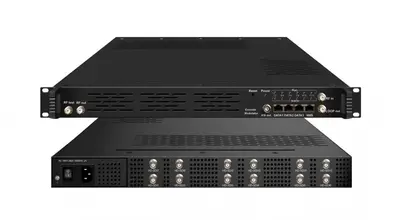
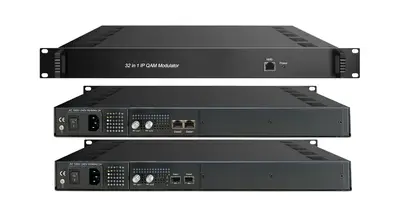
On the coax side the industry standard is QAM. The FUQ4443-3 IP QAM modulator publishes up to 1024 IP inputs across two GE ports at a maximum of 840Mbps each, 32 non-adjacent carriers from two F-type ports at 75 ohm, an output level of -20dBm to +10dBm (87 to 117dBµV), 0.1dB stepping, 16 to 256QAM with a symbol rate of 5.0~7.0Msps, 1ksps stepping, 256 PIDs of remapping per channel, and an MER of 40dB or better. Its published consumption is 15.4W, which matters when a rack is filled building by building.
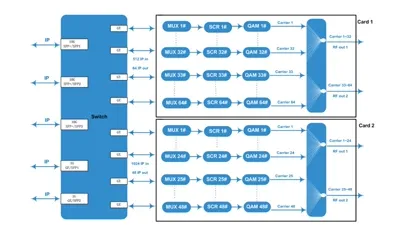
Denser sites, or a campus that is adding carriers every year, can use a chassis that scales inside the same 1U frame. The FUQ200B-2 publishes 48 or 96 non-adjacent DVB-C carriers from 2 or 4 RF ports, with up to 256 IP inputs per GE port at a maximum of 960Mbps and 256 PIDs of remapping per output channel. The FUQ200A publishes up to 128 DVB-C channels from one or two 64-channel QAM cards, again in a 420mm x 440mm x 44.5mm chassis.
Where the campus coax carries DVB-T rather than DVB-C, the carrier count changes. The FUQ4415B publishes 128 IP inputs over UDP/RTP into 4 DVB-T carriers and 4 MPTS streams, with 6M, 7M and 8M bandwidths. The FUQ44105B V3 publishes 24 or 16 tuner inputs, 128 IP inputs and 2 ASI inputs into 16 DVB-C carriers plus 16 IP MPTS streams, so the same chassis can feed the coax wing and the IP wing of the same campus.
| Distribution route | What the room needs | Published chassis |
|---|---|---|
| DVB-C coax in residence halls | television with a DVB-C tuner, no set-top box | FUQ4443-3, FUQ200B-2, FUQ44105B V3 |
| DVB-T coax | television with a DVB-T tuner | FUQ4415B, FUQ4653D |
| IP to the room | set-top box, smart television or a desktop player | FUQ4619X, FUQ-NEP10 |
| Desktop and tablet viewing | a stream the player can open, no tuner | FUQ4619X, FUQ4619T |
| Hybrid, both legs from one line-up | coax in the old blocks, IP in the new ones | FUQ44105B V3 publishes RF and IP outputs together |
The IP leg has a requirement that projects discover late: if live services are carried over UDP multicast, the access-layer switches have to support IGMP. That sentence is published in the server notes of our FUQ1000A IPTV platform page, and it is worth checking before the headend is ordered, because it decides whether the campus needs a switch upgrade as well as a rack.
How Many Screens and Channels Will the Headend Carry?
Two figures have to be kept apart. The first is what a carrier can hold, which is fixed by the standard. The second is what the campus actually puts into it, which is decided at the encoder. A residence block with 400 televisions and 20 services is a small headend; twelve captured lecture rooms can be a bigger load.
As standard-defined figures, an 8MHz DVB-C carrier at 256QAM holds about 38Mbps of payload, an 8MHz DVB-T carrier at 64QAM with a 2/3 code rate and a 1/32 guard interval holds about 19.9Mbps, and a 6MHz ATSC carrier at 8VSB holds about 19.4Mbps. Those are ceilings, not a promise about how many services a campus will fit into them.
| What is being counted | Published figure to check | Where it is published |
|---|---|---|
| Programme capacity on the line-up | 512 output PIDs on the FUQ4823C-2, 512 PIDs per channel on the FUQ3514 | multiplexer pages |
| IP streams an aggregator can move | 768 IP streams over UDP/RTP and 748 PID numbers for GE1 on the FUQ3504-2 | IP multiplexer page |
| Carriers one chassis can produce | 48 DVB-C, 32 DVB-T and 28 ISDB-T non-adjacent carriers on the FUQ4455A, upgradeable by licence from 16 carriers | mux-modulator page |
| Simultaneous IPTV programmes | about 80 HD/SD programmes over UDP multicast at 80% CPU load or less on the FUQ4619X, 8-12 concurrent HD/SD programmes at 8Mbps on the FUQ-NEP10 | gateway pages |
| Users the platform is rated for | a published user number of 600 on the FUQ4619X | gateway page |
The FUQ4455A is the chassis most campus projects end up discussing, because it publishes multiplexing and modulation in the same 1U unit: 128 IP inputs through 3 GE/SFP and 2 GE ports plus 32 IP inputs over 10 FE ports, 2 ASI inputs and a USB player, with 256 PIDs per channel and automatic PSI/SI generation. Its carrier count is licensed in steps, so a campus can start with the carriers it needs and add the rest without replacing the chassis. Where the rack is built from function cards instead, the FUQ300 publishes six slots in a 1U chassis for encoding, decoding, transcoding, multiplexing, descrambling and modulating with dual IP input and output.
What Does the Services Layer Add on a Campus?
It adds the things a viewer notices: channel numbers in a sensible order, a programme guide, a campus logo on the notice channel, and a place where premium services can be bought or restricted. None of it touches the RF stage, because all of it is written into the transport stream before modulation.
The guide is the piece that separates a campus system from a plain distribution system. The FUQ2044TL EPG system publishes support for up to 2,044 transport streams, 65,530 programmes and 64-day EIT scheduling with ASI and IP outputs and Windows or Linux client software. The FUQB EPG server publishes 2,044 transport streams, 69,905 programmes and 16-day EIT events with ATSC-compliant PSI/SI generation in Client/Service mode. Branding and notices run on a different box: the FUQ-OSD100 inserts logos and OSD graphics in real time on one channel of DVB-ASI or IP input, and the FUQ-ADS system serves text, graphic and video messages from a 1RU chassis with ASI and IP interfaces.
Where the campus wants video on demand, a welcome screen or a portal in front of the line-up, the platform layer sits above the headend. The FUQ1000A is published as an integrated IPTV platform covering live television, video on demand, conditional access and a property management interface on one headend, with IP output, hardware decoding and message insertion inside the same unit. Its page also publishes the two sizing notes that matter in a quotation: a storage server is strongly recommended when online video on demand runs beyond 300 terminals, and the access-layer switches must support IGMP when UDP is used for live services.
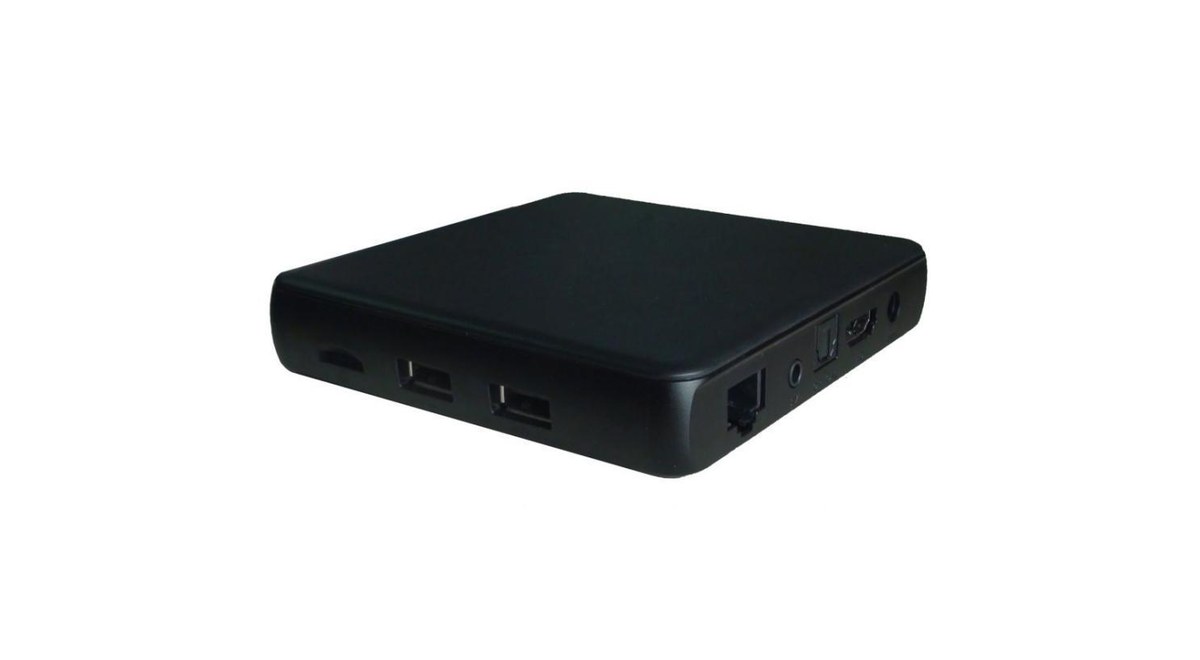
On the IP leg the screen itself is chosen per building. The 1E33XU-K set-top box publishes Android 7.1-based firmware with 4K H.265/HEVC decoding, HDMI 2.0 output, 1GB of DDRIII memory and 8GB of flash, 10/100M Ethernet and 2.4G Wi-Fi, and DRM support listed as Widevine Level 1, PlayReady and Verimatrix. That DRM row is the one to check first where licensed content is being delivered, because a player without it cannot open the stream whatever the headend does.
Do You Need Conditional Access on a Campus?
Only where something is sold or restricted. A free-to-air line-up of national channels plus a campus notice channel needs no scrambling at all; a residence service that bundles premium sports, or a campus that resells television to tenants in a commercial building, does.
Scrambling happens inside the multiplexer or the combined mux-scrambler-modulator, which is why the published scrambling standards are the first thing to compare against the conditional access system already in place. The FUQ3514 multiplexer scrambler publishes ETR289, ETSI 101 197, ETSI 103 197, and the FUQ4443-3 modulator publishes the same three, with local or remote connection. On the business side, the FUQ-SMS subscriber management platform is published for million-level user bases with CAS-compatible interfaces, entitlement data distributed in batches, mobile charging and a modular C/S architecture, and the FUQ-1.0 system is published as an integrated conditional access and SMS for digital television content. The entitlement flow itself — the messages that open a service on one receiver and the keys that decrypt it — is set out in our conditional access and SMS guide.
What Should the Campus Network Be Checked For?
Four things decide whether the network can carry the line-up, and all four are visible before the headend is ordered: IGMP support on the access switches, the bit rate each stream carries, the type of device at the far end, and whether licensed content needs DRM on the player.
IGMP comes first, because a switch that cannot snoop multicast floods every port with live video. The bit rate matters because a network sized for office traffic rarely expects a 19Mbps stream per channel. The device at the far end decides the arrival format it can accept, and DRM decides whether licensed content can reach it at all.
| Check | Why it matters | Published figure to compare with |
|---|---|---|
| IGMP support in the access layer | UDP multicast live services flood a switch without it | stated in the server notes of the FUQ1000A platform page |
| Network capacity per stream | an HD channel is carried at the encoder's setting, not at a nominal value | 1Mbps to 13Mbps per channel on the FUQ4339KN V2, 1Mbps to 23Mbps on the FUQ4322B |
| Jitter on the contribution path | a stream that arrives irregularly breaks up on screen even when it is intact | IP anti-jitter is published on the FUQ-NEP10 gateway page |
| DRM on the player | licensed content will not open without it | Widevine Level 1, PlayReady and Verimatrix on the 1E33XU-K set-top box page |
| Tuner capability at the screen | an RF carrier is invisible to a device with no tuner | the standard the receiver scans decides the modulator, as set out in our standard comparison guide |
How Do You Monitor and Fault-Find a Campus Headend?
The chain is checked in the same order it was built: the feed at the tuner, the transport stream at the multiplexer, the carrier at the modulator, and the signal at the outlet. Three small boxes cover most of that work, and one of them is a diagnostic tool rather than a rack unit.
The FUQXB transport stream analyzer publishes one ASI input and one RF DVB-C input, real-time analysis up to 160Mbps, automatic handling of 188 and 204-byte packets, offline capture to 120Mbps and a USB 2.0 interface, which is what a technician carries to a hall where a channel will not appear. Inside the rack, the FUQ3515 ASI TS switcher publishes one main and two backup ASI inputs with two independent outputs and automatic failback switching that follows transport stream packet integrity — bitrate, sync and continuity — drawing 15W. Where one stream has to reach several units, the FUQ4713 DVB-ASI distribution hub routes signals from 1 to 216Mbps through 2 inputs and 24 outputs in 6x4 groups with SNMP-based network management. For bench checks on receivers before they are installed, the FUQ-XQR professional TS player publishes USB 2.0 input and 108Mbps through a DVB-ASI output.
Rack, Power and Environment: What the Chassis Rows Publish
Once the carriers and the interfaces are fixed, the physical rows decide whether the equipment fits the room the campus has available. In this range most 1U processing chassis share one footprint, which makes a rack plan predictable before the order is finalised, and the two larger units are published separately.
| Row | Published examples |
|---|---|
| 1U chassis, 420mm x 440mm x 44.5mm | FUQ4443-3, FUQ200B-2, FUQ200A, FUQ4455A |
| 1U chassis, 482mm x 300mm x 44mm | FUQ4619C V3 at 3.5kg and 40W or less, FUQ4823C, FUQ3504-2 |
| 1U chassis, 482mm x 328mm x 44mm | FUQ3902B at 482mm x 328mm x 44mm, FUQ3214C, FUQ4637TB |
| 2U chassis | FUQ4339KN V2 at 482mm x 328mm x 88mm, and the FUQ8351 indoor digital transmitter |
| Compact encoder modulator | FUQ4653D at 333 x 232 x 44mm and 2.5kg, power supply AC 100V to 240V |
| Consumption | 15.4W on the FUQ4443-3 and the FUQ200B-2, 25W on the FUQ4322B, 50W with one QAM card and 75W with two on the FUQ200A |
| Environment | 0 to 45 degrees C in operation and -20 to 80 degrees C in storage on the chassis that publish an environment row |
Where a campus channel has to leave the site or cover a stadium bowl, the transmitter stage is planned as plant rather than as a rack unit: the FUQ8351 indoor digital transmitter publishes DVB-T, ATSC and ISDB-T operation from 10W to 100W across 470MHz to 806MHz, with 4/16/32/64 QAM modulation, an MER of 35dB or better and an output power variation of plus or minus 0.25dB in a 2U chassis.
What to Send Us for a Campus IPTV Quotation?
The list that makes a fast quotation is the same list that makes a fast design. Send it and we confirm the model list with the datasheet for each exact chassis, because a campus is quoted on the receiver list and the source list rather than on a catalogue price.
We do not publish list prices; every quotation is put together against the configuration you confirm.
- The destination country and the site type, with the campus split into buildings: residences, teaching, library, laboratories, administration and sports.
- The sources: which satellites or transponders, which terrestrial multiplexes, whether a cable feed is available, and which campus-produced video has to be captured.
- The receiver list: how many screens per building, and for each group the standard it can tune, whether it has a tuner at all, and whether it needs a set-top box.
- Whether services are sold or restricted, so the conditional access and subscriber management route is settled before the scrambler is chosen.
- The carrier plan the coax can carry and the network plan for the IP leg, including whether the access switches support IGMP.
- The rack space and power available in each equipment room, and whether the campus intends to add carriers or online video on demand later.
Every unit is built in our Guangzhou factory, runs a 72-hour burn-in before dispatch, and we ship to 200+ countries. The fastest route is the contact form, and the FAQ answers the commercial questions first. Where a page in our range does not publish a row you need — a tuner count on a variant, or the band of a legacy model — ask for the datasheet and we confirm the figure for that exact chassis instead of carrying one over from a sibling.
Frequently Asked Questions
What is a campus IPTV system?
A campus IPTV system is one headend that receives satellite, terrestrial, cable and internet feeds, adds the channels the institution produces itself, and delivers the finished line-up to every screen on site over the network, over the existing coax, or over both at once. The transport stream is the unit of work, so a lecture capture channel and a satellite service are handled the same way once they are inside the rack.
Can a campus keep the coax that is already in its residence halls?
Yes, where the rooms have televisions with a digital tuner. The line-up is modulated onto DVB-C or DVB-T carriers by an IP QAM or DVB-T modulator, and the television tunes them with its own tuner, so no set-top box and no network point are needed in the room. The published count ranges from 4 DVB-T carriers on the FUQ4415B to 32 non-adjacent carriers on the FUQ4443-3 and 96 on the FUQ200B.
How many channels can one campus headend carry?
It depends on the carrier count of the modulator and the bit rate assigned to each service, not on a fixed channel limit. As standard-defined figures an 8MHz DVB-C carrier at 256QAM holds about 38Mbps of payload, so a campus that encodes at 4Mbps per service fits roughly twice as many services into a carrier as one that stays at 8Mbps. Where the output is IP instead of RF, the published capacity is expressed in programmes: about 80 HD/SD programmes over UDP multicast on the FUQ4619X.
Do we need a set-top box in every room?
Only in the rooms that are on the IP leg. A room fed by coax and holding a television with a DVB-C, DVB-T or ATSC tuner needs nothing else, which is why many campus projects keep the residences on coax and put the network distribution in the newer buildings. Rooms on the IP leg need a set-top box, a smart television or a desktop player that can open the multicast stream, and the box's published DRM list decides whether licensed content can be carried to it.
How do we add a campus information channel?
By encoding it once at the source and injecting it into the same line-up as the received services. A studio or notice feed enters an encoder modulator such as the FUQ4655BC or the FUQ4653D over HDMI, SDI or CVBS, is encoded to MPEG-2 or MPEG-4 AVC, and leaves as a carrier on the campus coax or as a stream on the campus network. A logo or caption is inserted ahead of the modulator by a device such as the FUQ-OSD100, and the channel number the viewer sees is written into the PSI/SI tables in the same stage.
Which parts of a campus IPTV system do you build?
We build the receive, encode, multiplex, scramble, modulate and gateway stages, the EPG, logo insertion, advertising and subscriber management software, and the set-top box: 190 models across nine product lines, all designed and built in our Guangzhou factory and shipped to 200+ countries. The room-side television, the access switches and the cabling are specified per site, and we confirm what fits the campus from the receiver list you send.
Do you publish prices for a campus IPTV system?
No. Every campus quotation is put together against the configuration you confirm — the source list, the receiver list, the carrier plan and the rack space — because two campuses with the same screen count usually need different input counts and different standards. Tell us the building types and the receivers and we return a model confirmation with the datasheet for each exact chassis and a quotation.
What do you need to quote a campus IPTV system?
The destination country, the building types with their screen counts, the sources the campus can receive and produce, the standard each group of screens can tune, whether services are sold or restricted, the carrier plan the coax can carry, whether the access switches support IGMP, and the rack space and power available. Send that list through the contact form and we return the model confirmation with a datasheet for each model and a quotation.
If the campus is part of a bigger project, the headend installation checklist covers rack, cabling and commissioning, the IPTV encoder guide takes the encode stage further, the IP to QAM modulator guide works through the coax leg, and the hospital IPTV system guide shows how the same chain is built for a site where every screen has to stay available. The nine product lines are listed on the product catalogue, and the solutions pages show the chains end to end.
Previous
SDI to RF Modulator: SDI, HDMI and CVBS to QAM
Next
Hotel TV System: Sources, Headend and Distribution
Talk to the headend engineers before you specify
Send the model number you are looking at — or the channel count and the input and output formats you work with — and we answer with the datasheet, the configuration and a written price. The reply comes from the headend team in Guangzhou, not a sales line.